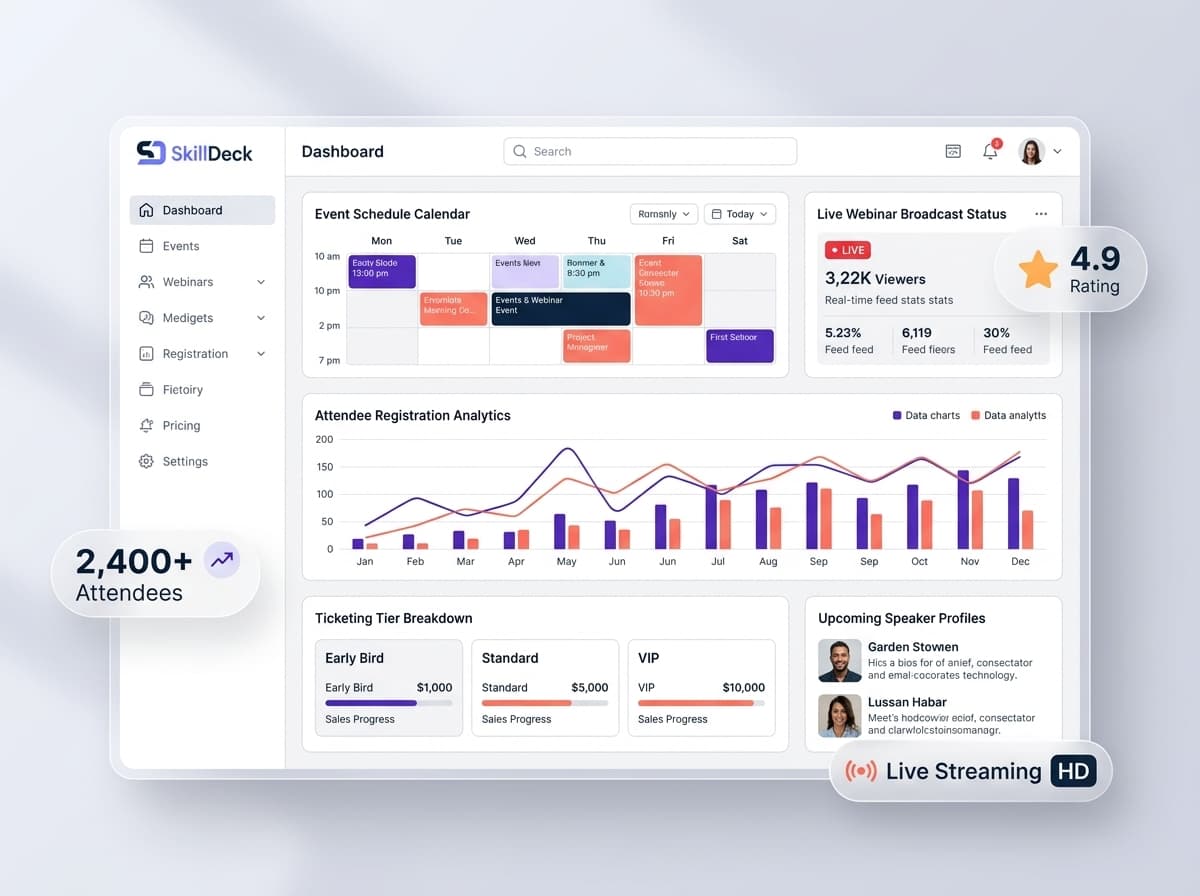
Webinars have become an important way for businesses to educate audiences, demonstrate products, generate leads, conduct training, and build relationships with potential customers. But hosting a successful webinar involves much more than starting an online session. Teams need to create the event, promote it, collect registrations, manage attendee information, send reminders, coordinate speakers, monitor participation, and follow up with attendees after the session. When these activities are managed through separate spreadsheets, forms, communication tools, and customer systems, it can become difficult to maintain a complete view of the webinar journey. Webinar management software brings these activities into a more organized environment. It helps businesses manage the process from event creation and registration through attendance tracking, engagement, analytics, and post-webinar follow-up. For marketing, training, education, and sales teams, this creates a structured way to turn webinars into repeatable business and learning activities.
What Is Webinar Management Software?
Webinar management software is a platform that helps organizations plan, organize, conduct, and evaluate online webinar events. Instead of managing every stage separately, businesses can use a centralized workflow for activities such as:
- Webinar creation
- Event scheduling
- Registration management
- Attendee information collection
- Speaker coordination
- Reminder communication
- Attendance tracking
- Participant engagement
- CRM integration
- Post-webinar follow-ups
- Performance analytics
The exact capabilities may vary by platform, but the overall objective remains the same: make webinar operations easier to organize and connect event activity with wider business goals.
From Webinar Idea to Event Follow-Up
A webinar typically passes through several stages before and after the actual session. A structured webinar workflow can look like:
Plan → Promote → Register → Remind → Host → Track → Follow Up → Analyze
Each stage influences the success of the event. Planning determines the topic, audience, speakers, and objectives. Promotion helps attract registrations. Reminders encourage registered participants to attend. During the event, attendance and engagement provide useful information. Afterward, follow-ups help businesses continue the conversation. Webinar management software can bring these stages together so teams do not have to manage every step independently.
Create and Organize Webinar Events
The first step in managing a webinar is defining the event itself. Businesses may conduct webinars for different purposes, including:
- Product demonstrations
- Educational sessions
- Industry discussions
- Professional training
- Online workshops
- Expert presentations
- Lead-generation events
- Customer education
- Course or program promotions
A webinar management system can help teams organize essential event information such as the webinar title, description, date, time, speakers, audience, registration requirements, and communication plan. Having these details organized from the beginning provides a clearer foundation for the rest of the workflow.
Make Webinar Registration Simple
Registration is one of the first interactions between an attendee and the webinar experience. A registration process can collect useful information from prospective participants while making it easy for them to reserve their place. Depending on the event, businesses may collect:
- Name
- Email address
- Phone number
- Organization
- Job role
- Area of interest
- Learning or business requirements
The information collected during registration can become valuable for marketing and follow-up activities. For example, a training company conducting a webinar about professional certification programs can use registration information to understand which participants are interested in particular learning areas.
Manage Registrations From One Place
Once registrations begin, the marketing or event team needs visibility into the attendee list. A centralized registration workflow can help teams understand:
- Total registrations
- Registered participants
- Event details
- Participant information
- Registration status
- Audience interests
This is especially useful when several webinars are being conducted during the same period. Instead of maintaining individual registration lists in separate spreadsheets, teams can organize event information through a more consistent process.
Send Timely Webinar Reminders
Registration does not automatically mean attendance. Participants may register several days before an event and forget about it when the scheduled time arrives. Timely communication can therefore play an important role in maintaining participation. Webinar workflows can include reminders around the event schedule. These may include:
- Registration confirmation
- Upcoming-event reminders
- Last-minute reminders
- Event access information
- Post-webinar communication
The objective is to keep registered participants informed without requiring the event team to manually contact every individual.
Track Webinar Attendance
Registration numbers alone do not tell the complete story. A business may have a large number of registrations but a much smaller number of actual attendees. Attendance tracking helps teams understand the difference between registered participants and people who joined the session. Useful attendance information can include:
- Registered participants
- Actual attendees
- Non-attendees
- Attendance duration
- Participation activity
These insights can help businesses evaluate the effectiveness of their webinar promotion and communication. They can also support more targeted follow-up after the event.
Understand Participant Engagement
Attendance is only one measure of webinar success. Businesses may also want to understand how participants interacted with the session. Depending on the webinar setup, engagement information may include:
- Questions submitted
- Chat participation
- Poll responses
- Session activity
- Interaction with webinar resources
This information can reveal which topics generated interest and which participants may be more engaged with the business. For educational webinars, engagement can also provide useful feedback about whether participants found the session relevant and valuable.
Connect Webinar Activity With CRM
One of the most valuable capabilities for marketing and sales teams is connecting webinar participation with customer information. When registration and attendance data remain separate from the CRM, sales teams may not know whether a prospect attended a webinar or what they were interested in. CRM integration can create a more connected view. For example:
Website Visitor → Webinar Registration → Webinar Attendance → Engagement → Follow-Up → Opportunity
This gives sales and marketing teams more context when communicating with prospects. A person who attended a product demonstration may require a different follow-up from someone who registered but never attended. Similarly, a participant who actively engaged during a webinar may represent a stronger opportunity for a relevant conversation.
Turn Webinar Registrations Into Organized Leads
Webinars can be useful lead-generation activities, but registration data becomes more valuable when it can be organized and acted upon. A webinar management system connected with CRM workflows can help businesses categorize participants based on relevant information. For example, leads can be organized according to:
- Webinar topic
- Registration source
- Attendance status
- Area of interest
- Engagement level
- Business requirements
This gives marketing and sales teams greater context when planning follow-up activities. Instead of treating every registrant identically, businesses can create more relevant communication based on actual webinar activity.
Manage Different Types of Webinars
Webinars are not limited to marketing presentations. Different organizations use them for different purposes.
Educational Webinars
Institutes and education businesses can conduct sessions that explain concepts, introduce learning opportunities, or provide industry knowledge.
Product Demonstrations
Companies can use webinars to demonstrate how their products or services work.
Professional Training
Organizations can conduct structured learning sessions for employees, customers, or professional audiences.
Lead Generation Webinars
Marketing teams can use valuable educational content to attract potential customers and identify interested prospects.
Customer Education
Businesses can help existing customers understand products, services, features, or best practices. Each type of webinar can require a different registration, communication, and follow-up strategy.
Coordinate Speakers and Event Teams
A webinar may involve more than one person. Marketing teams, speakers, trainers, moderators, technical staff, and managers may all have responsibilities before or during the event. Without clear coordination, important tasks can easily be missed. A structured webinar workflow can help teams organize responsibilities around:
- Speaker preparation
- Presentation materials
- Event communication
- Registration monitoring
- Technical preparation
- Audience questions
- Post-event follow-up
This makes webinar delivery more predictable, especially when organizations conduct events regularly.
Use Webinar Analytics in Real Time
Real-time analytics can provide visibility into what is happening during an event. Instead of waiting until the webinar is finished to review participation, teams can monitor available event activity while the session is taking place. Depending on the platform, teams may be able to review information such as:
- Current attendees
- Participation levels
- Engagement activity
- Questions
- Poll responses
- Attendance trends
This information can help event teams understand audience behavior while the session is still active. It can also become useful when reviewing the event afterward.
Measure Webinar Performance After the Event
Once the webinar ends, the organization needs to determine whether the event achieved its purpose. Performance analysis can compare several stages of the webinar journey. For example:
- Number of registrations
- Number of attendees
- Attendance rate
- Engagement activity
- Audience interests
- Follow-up opportunities
A marketing webinar may be evaluated based on lead generation and engagement, while an educational webinar may focus more on attendance and learner participation. The most useful metrics therefore depend on the objective established during the planning stage.
Build Better Follow-Up Workflows
The end of a webinar should not necessarily be the end of communication. Follow-up can help businesses continue the conversation with participants. Different audiences may require different next steps. For example:
- Attendees can receive additional resources.
- Interested prospects can be contacted by sales.
- Non-attendees can receive relevant event information.
- Participants can be invited to another session.
- Training prospects can receive course information.
When webinar activity is connected to CRM information, follow-up can become more organized and context-aware.
Support On-Demand Webinar Strategies
Some webinar content can remain useful after the live event. Businesses may want to make recordings or related resources available to people who could not attend the original session. A webinar management workflow can help organizations maintain information about the original event while continuing to engage interested audiences afterward. This can extend the value of webinar content beyond a single live session. For training organizations, recorded webinars can also become supporting resources for learners or prospective students.
Webinar Management for Training Companies
Training institutes and professional learning businesses can use webinars for both education and marketing. A training company might organize a webinar to:
- Introduce a new course
- Explain an industry topic
- Provide a free learning session
- Invite an industry expert
- Demonstrate a training program
- Generate course enquiries
- Engage existing learners
The webinar can then become part of a larger learner acquisition workflow. A participant who registers for a course-related webinar may later become an enquiry, prospective learner, or enrolled student. Connecting these stages gives training businesses better visibility into the journey from initial interest to enrollment.
Webinar Management for Corporate Training
Organizations can also use webinar platforms for employee learning and professional development. Corporate teams may conduct online sessions for:
- Employee training
- Product knowledge
- Internal communication
- Professional development
- Expert sessions
- New initiative introductions
Attendance tracking can help managers and learning teams understand participation, while analytics can provide information for evaluating the effectiveness of recurring sessions. This makes webinar management useful beyond external marketing.
Benefits of Webinar Management Software
Centralized Event Management
Businesses can organize important webinar information and activities through one structured workflow.
Simplified Registration
Teams can collect and organize participant information before the event.
Better Attendance Visibility
Registration and actual participation can be evaluated separately.
Improved Follow-Up
CRM integration can provide additional context for communicating with participants after the webinar.
Stronger Campaign Coordination
Marketing teams can connect webinars with broader promotional campaigns.
Actionable Analytics
Event data can help teams understand participation and improve future webinars.
More Efficient Operations
Automated and centralized workflows reduce repetitive administrative work.
Common Webinar Management Challenges
Without a structured system, businesses can encounter several operational problems.
Scattered Registration Data
Participant information may be stored separately from other customer records.
Low Attendance Visibility
Teams may know how many people registered but have limited visibility into actual participation.
Manual Follow-Ups
Sales and marketing teams may need to manually identify attendees and contact them afterward.
Disconnected Analytics
Event performance information can remain separate from wider marketing reports.
Unclear Team Responsibilities
Speakers, marketers, and event coordinators may not have a shared view of pending tasks.
What to Look for in Webinar Management Software
When selecting a webinar platform, businesses should evaluate the complete event lifecycle rather than focusing only on live-session capabilities. Important areas to consider include:
- Webinar event creation
- Registration management
- Attendee information
- Attendance tracking
- Reminder workflows
- Speaker coordination
- Participant engagement
- CRM integration
- Lead management
- Real-time analytics
- Post-event reporting
- Follow-up workflows
The right solution should fit the organization's event strategy and connect naturally with its existing marketing and customer-management processes.
Traditional Webinar Management vs Centralized Software
Area Traditional Management Webinar Management Software Registration Often managed separately Centralized registration workflow Attendance Manually reviewed or exported Structured attendance tracking Participant data Can remain disconnected Can connect with customer records Follow-up Often manual Can support organized workflows Analytics May require separate reports Centralized event insights Team coordination Multiple communication channels Shared event workflow A manual approach may work for occasional small events, but organizations conducting regular webinars can benefit from a more structured system.
How Skilldeck Supports Webinar Management
Skilldeck helps businesses manage digital operations through a connected technology environment. For webinar-driven marketing and training activities, this can provide a structured approach to organizing event information, registrations, participant activity, CRM workflows, and post-event processes. The broader advantage is connecting webinar activity with other business operations rather than keeping event management isolated. For training companies, academies, institutes, and professional learning businesses, webinar activity can work alongside lead management, website operations, learner information, and other digital workflows. A prospective learner can discover a webinar, register for an event, attend the session, express interest, and continue through a relevant business workflow. This creates a more connected experience for both the organization and its audience.
Make Every Webinar Part of a Larger Strategy
A successful webinar should not be viewed as a single online meeting. It can become a repeatable business process:
Audience Need → Webinar Topic → Promotion → Registration → Attendance → Engagement → Follow-Up → Analysis
Each stage provides information that can improve the next event. Registration data can help businesses understand audience interest. Attendance information can reveal participation levels. Engagement can show which topics attracted attention. Follow-up can create opportunities for continued communication. Analytics can then guide future webinar planning. This makes each webinar a source of both engagement and business insight.
Final Thoughts
Webinar management software gives businesses a structured way to manage online events from registration and attendance through CRM integration, follow-up, and analytics. Instead of handling every stage through disconnected tools, teams can create a more connected process for delivering and evaluating webinars. For organizations that regularly conduct educational sessions, professional training, product demonstrations, workshops, or lead-generation events, centralized webinar management can make event operations easier to coordinate and scale. Skilldeck provides a broader digital environment where webinar activities can work alongside marketing, CRM, website, and learning workflows. This helps businesses turn individual webinars into organized, repeatable experiences that support audience engagement and long-term growth.