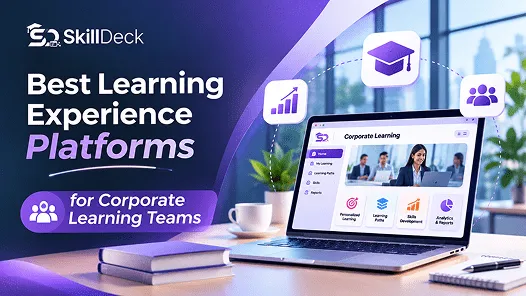
Best Learning Experience Platforms for Corporate Learning Teams
Compare learning platforms for corporate teams, focusing on course delivery, personalised learning, content discovery, skills development, and reporting. Explore leading options and identify the capabilities that best match your organisation’s training needs.
AlexAuthor
PublishedNov 11, 2026
Read Time15
Views2200+
Corporate Learning Guide
Best Learning Experience Platforms for Corporate Learning Teams
Discover how the right Learning Experience Platform can improve content discovery, personalise employee development, organise learning journeys, and support a more engaging corporate learning environment.
Corporate learning teams need a reliable way to deliver training, organise learning resources, monitor progress, and help employees develop relevant skills. A Learning Experience Platform (LXP) can support these goals by making learning content easier to discover and helping employees engage with learning opportunities relevant to their roles.
However, not every organisation needs the same type of platform. Some teams prioritise structured course delivery and learner administration, while others need personalised recommendations, skills-based learning paths, and content discovery across multiple sources.
This guide compares six platforms that corporate learning teams can evaluate. It explains each platform’s general focus, the capabilities to assess, and how to choose an option that fits your organisation’s learning requirements.
LXP Fundamentals
What Is a Learning Experience Platform?
A Learning Experience Platform is a digital environment designed to help employees discover, access, and engage with learning resources. Depending on the product, it may include personalised recommendations, learning paths, skills development tools, social learning features, and analytics.
Common LXP capabilities include:
01 / DISCOVERYLearning Content Discovery
Helping employees find relevant courses, videos, articles, and other resources.
02 / PERSONALISATIONPersonalised Learning
Recommending learning opportunities based on roles, interests, skills, or activity.
03 / DEVELOPMENTLearning Paths
Organising resources around specific roles, topics, or development goals.
04 / SKILLSSkills Development
Connecting learning activities with the capabilities employees need to build.
05 / INSIGHTSLearning Analytics
Showing participation, progress, and engagement.
06 / CONNECTIVITYIntegrations
Connecting with an LMS, HR systems, content libraries, or workplace tools.
An LXP is different from a traditional Learning Management System (LMS), although their capabilities can overlap. An LMS typically emphasises course administration, assignments, completion tracking, and training records. An LXP generally places greater emphasis on learning discovery, personalisation, and employee-driven development.
Platform Comparison
Best Learning Experience Platforms for Corporate Learning Teams
The following platforms serve different learning requirements. Skilldeck is included first for organisations looking for an LMS and connected training-management capabilities. Corporate buyers should assess its fit against their specific LXP requirements, particularly advanced content recommendations and skills-based discovery.
01
Skilldeck
Best suited for: Organisations that need structured learning delivery alongside connected training operations.
Skilldeck provides an LMS and training-management capabilities for organising courses, delivering learning, tracking learner progress, and managing training activities. Its broader platform approach connects learning with operational workflows, which may be useful for businesses delivering training across teams, programmes, or learner groups.
For corporate learning teams, Skilldeck is worth evaluating when the priority is to manage learning delivery and related training processes through a connected system. Teams should review the available features and confirm whether they meet requirements for personalised content recommendations, social learning, and skills-based discovery before treating Skilldeck as a full LXP replacement.
Key capabilities to evaluate:
Course creation and learning delivery
Learner progress tracking and assessments
Learning paths and certificate management
Training programme and batch coordination
Integration of learning with training operations
Explore Skilldeck LMS Review its learning-management capabilities and see whether they align with your organisation’s training workflows.
Best suited for: Organisations focused on skills development and learning content discovery.
Degreed is a learning and skills platform that connects employees with learning resources and development opportunities. It may suit organisations that want employees to discover learning content from different sources instead of relying exclusively on centrally assigned courses.
Corporate learning teams can assess Degreed for its approach to skills visibility, learning recommendations, and content discovery. It is particularly relevant when learning initiatives are closely connected to employee development and workforce skills.
Key capabilities to evaluate:
Skills-based learning and development
Content discovery across learning resources
Personalised learning experiences
Connections between learning and workforce skills
03
EdCast by Cornerstone
Best suited for: Organisations seeking learning experiences connected to wider talent development.
EdCast’s learning experience capabilities are associated with Cornerstone’s broader learning and talent-development ecosystem. This can be relevant for organisations looking to connect learning resources with employee skills and development activities.
Before shortlisting it, check the current product offering, available modules, and integration requirements within Cornerstone’s portfolio. The exact capabilities available can depend on the product configuration.
Key capabilities to evaluate:
Learning content discovery
Personalised learning journeys
Skills and career development connections
Compatibility with existing Cornerstone systems
04
360Learning
Best suited for: Corporate teams that want employees and subject-matter experts to contribute to learning.
360Learning focuses on collaborative learning and course creation. It can be useful for organisations that want internal experts to turn their knowledge into structured learning resources and share practical information across teams.
This approach may suit companies with frequently changing procedures, internal processes, or specialised knowledge. Learning teams should assess how well the platform supports collaborative authoring, learner feedback, and training progress reporting.
Key capabilities to evaluate:
Collaborative course creation
Internal knowledge sharing
Employee participation in learning
Course engagement and progress tracking
05
Docebo
Best suited for: Organisations looking for enterprise learning delivery with personalised learning capabilities.
Docebo is a learning platform that supports training delivery, administration, reporting, and personalised learning experiences. It may suit corporate learning teams that want to manage structured employee training while making learning more relevant to individual users.
When evaluating Docebo, confirm which personalisation and experience features are included in the package under consideration. Compare these with your requirements for content discovery, learning paths, integrations, and reporting.
Key capabilities to evaluate:
Corporate training delivery
Personalised learning experiences
Learning administration and reporting
Integration with workplace systems
06
LearnUpon
Best suited for: Organisations delivering structured training to multiple learner groups.
LearnUpon is primarily known as a learning management platform. It can be worth considering when an organisation needs to deliver and track training for employees, partners, or customers.
Because it is primarily an LMS, teams looking for a dedicated LXP should verify its current content-discovery, personalisation, and recommendation capabilities before deciding whether it meets their needs.
Key capabilities to evaluate:
Structured training delivery
Course and learner administration
Progress tracking and reporting
Training delivery for different audiences
At a Glance
Comparison of Learning Platforms
Use this overview to understand the main focus of each platform and the type of corporate learning requirement it may support.
Platform
Main area to evaluate
Potential fit
Skilldeck
Course delivery and connected training operations
Organisations managing structured learning and training workflows
Degreed
Skills-based learning and content discovery
Organisations focused on workforce skills
EdCast by Cornerstone
Learning experiences and talent development
Companies using the Cornerstone ecosystem
360Learning
Collaborative learning and course creation
Teams relying on internal subject-matter experts
Docebo
Enterprise learning delivery and personalisation
Organisations with broad corporate learning requirements
LearnUpon
Structured training and learner administration
Teams managing multiple learner groups
This is a practical shortlist, not a universal ranking. The platforms differ in their core focus, and features can vary by package. In particular, verify Skilldeck’s LXP-specific capabilities if advanced recommendations, social learning, or skills-based discovery are essential.
Evaluation Checklist
Features to Compare Before Choosing an LXP
Before selecting a platform, corporate learning teams should compare the features that influence employee learning experiences, administration, and long-term development.
Personalised Learning
Check whether the platform can recommend learning resources based on employee roles, skills, interests, or development goals. Ask how recommendations are generated and how administrators can manage them.
Content Discovery
Employees may need to access internal courses, recorded sessions, external content libraries, and reference materials. Review how the platform organises these resources and whether it supports the content sources your organisation uses.
Learning Paths and Skills Development
Assess whether the platform can organise learning around specific skills, roles, or development objectives. If your organisation uses a formal skills framework, confirm that the platform can support it.
Analytics and Reporting
Review reports for participation, course completion, learning-path progress, and content engagement. If you need to measure changes in employee skills or workplace performance, check whether the required data can be collected or integrated with other systems.
LMS and HR Integration
If your organisation already uses an LMS, HR system, identity provider, or collaboration tools, confirm how the new platform will connect with them. Ask which integrations are included and whether additional configuration or licensing is required.
Administration and Content Management
Evaluate how easily learning teams can organise resources, manage permissions, update content, and support different employee groups. The platform should fit the team’s day-to-day workload as well as the learner experience.
Security and Access Controls
Review user permissions, authentication, data handling, and access to internal learning resources. Confirm that the platform meets your organisation’s security and compliance requirements.
Selection Process
How to Choose the Right Platform
Choosing an LXP requires more than comparing product features. Corporate learning teams should understand their current systems, employee needs, and the learning outcomes they want to achieve.
Use these steps to shortlist suitable platforms:
Define your main goal: Decide whether you need better course administration, personalised learning, content discovery, collaborative learning, or skills development.
Review your current systems: Identify what your existing LMS and HR tools already provide.
Prioritise required features: Separate essential capabilities from optional features.
Compare real workflows: Ask vendors to demonstrate how employees find content, follow learning paths, and access relevant training.
Check integration requirements: Confirm how learner records, course information, and reporting data will move between systems.
Review total cost: Consider licensing, implementation, integrations, content access, support, and ongoing administration.
Run a pilot: If possible, test the shortlisted platform with a representative employee group and collect feedback before wider adoption.
Understand the Difference
LXP vs LMS: Which Does Your Organisation Need?
Although an LXP and an LMS can support employee learning, they often focus on different parts of the learning process. Understanding these differences can help your organisation choose the right solution.
Employee-driven learning
Learning Experience Platform
Discovering relevant content – High priority
Personalised recommendations – Common focus
Assigning mandatory training – May be supported
Tracking course completion – Depends on the platform
Skills-focused learning journeys – Common focus
Structured administration
Learning Management System
Discovering relevant content – Depends on the platform
Personalised recommendations – Available in some systems
Assigning mandatory training – Common core function
Tracking course completion – Common core function
Managing training records – Common core function
Requirement
LXP emphasis
LMS emphasis
Discovering relevant content
High priority
Depends on the platform
Personalised recommendations
Common focus
Available in some systems
Assigning mandatory training
May be supported
Common core function
Tracking course completion
Depends on the platform
Common core function
Managing training records
Depends on the platform
Common core function
Skills-focused learning journeys
Common focus
Depends on the platform
An LXP is worth considering when your priority is personalised learning and content discovery. An LMS is usually a stronger starting point when structured course delivery, assignments, assessments, and training records are the main requirements. Some organisations may need both, either through a combined solution or integrated systems.
Things to Watch Out For
Common Mistakes to Avoid
Even a feature-rich platform may not deliver the expected results if it does not match the organisation’s learning needs. Avoid these common mistakes during the selection process.
01. Choosing by feature count
Prioritise capabilities that support your actual learning goals.
02. Ignoring existing systems
Check whether the new platform duplicates features already available in your LMS.
03. Overlooking content quality
Personalised recommendations are useful only when the learning resources are relevant and maintained.
04. Relying only on engagement metrics
Participation does not automatically prove skill improvement or business impact.
05. Skipping employee feedback
Test whether employees can find and use learning resources easily.
06. Failing to verify product fit
Confirm that each platform supports your required workflows instead of assuming every LMS offers full LXP functionality.
Final Thoughts
Final Verdict
The best learning platform depends on the type of experience your organisation wants to provide. Skilldeck is worth evaluating first if your priority is course delivery combined with connected training operations. Degreed may be more relevant for skills-based learning and content discovery, 360Learning for collaborative course creation, and Docebo for enterprise learning delivery with personalisation. Cornerstone and LearnUpon may also be suitable depending on your existing systems and training-administration requirements.
Before choosing, compare the actual features available, integration requirements, learner experience, reporting, and implementation cost. If advanced LXP capabilities are essential, verify them directly rather than relying on a platform’s general learning-management features.
Run Your Training Business at 90% Lower Cost
Skilldeck replaces 10+ software tools with one integrated, automated platform.
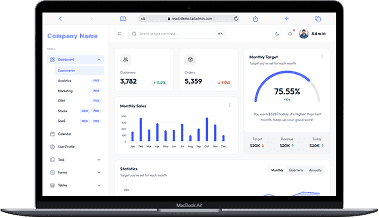
Skilldeck is a fully automated, budget-friendly plug-and-play solution designed for training institutes. It offers every essential feature needed to run and scale a training business, helping organizations accelerate growth with minimal effort and cost.
4X More Leads, 3X Higher Volume
at a Fraction of the Cost
If you're seeking powerful tech and marketing automation that delivers results, Skilldeck is your go-to solution. Specifically built for training institutes, it offers everything you need in one place — from lead generation to operations — driving growth efficiently and affordably.
E–Learning System
CRM
(Customer Relationship Management)
CMS
(Content Management System)
Marketing Automation
Event Management
with global currencies & timezones
Live Web Chat
Task & Workflow
...and much more, all designed to scale your business effortlessly.
Built for Growing Institutes on a Budget
A perfect fit for someone who is getting started with a minimal budget, and looking for the premium features, UI/UX and scalability.
Proven Impact Across Teams & Budgets
Training Institutes are finding Skilldeck.net quite useful, and are expediting their process & cutting down on the resources across all departments significantly. By reducing their expenses across all departments by at least 40%.
Skilldeck platform is developed by Manjunath Chowdary and team, Ex-Marketing head of Knowledgehut Upgrad, founder of KandraDigital Marketing solutions, and has built the tech and marketing strategies for various training companies.