Learn how to manage training cancellations and rescheduling with clear policies, notice periods, participant communication, trainer coordination, and updated schedules.

A practical guide to building clear cancellation policies, coordinating schedule changes, communicating with participants, and maintaining accurate training records.
Training cancellations and schedule changes can disrupt planned sessions, affect trainer availability, and create confusion for participants. Without a consistent process, training teams may struggle to notify everyone, arrange replacement sessions, and keep attendance records accurate.
A clear cancellation and rescheduling policy helps training providers manage these changes consistently. It should explain when a session can be cancelled, how much notice is required, who approves changes, how participants are informed, and what happens when a session is rescheduled.
This guide covers the essential steps for creating and managing these policies in corporate training teams, training institutes, and other organisations that deliver scheduled learning programmes.
Start by documenting the circumstances under which a training session may be cancelled. The policy should be easy for participants, trainers, administrators, and clients to understand.
Apply the policy consistently, while allowing for genuine emergencies. If different rules apply to public courses, corporate programmes, and customised training, document those differences clearly.
A rescheduling policy explains how a training session can be moved to another date, time, or delivery format.
Explain how a new session date is selected and approved.
Specify how participants are informed when the session time changes.
Establish how replacement trainers are assigned and communicated.
Define how room or location changes are handled.
Explain how participants receive updated access details or venue information.
Clarify when individual participants can transfer to another session.
Set notice periods that reflect your training format and operational needs. For example, a multi-day corporate programme may require more coordination than a short online session. Avoid applying one fixed notice period to every type of training if the circumstances differ.
Not every schedule change requires the same level of approval. Define responsibilities so that cancellations and rescheduling requests do not remain unresolved.
| Role | Responsibility |
|---|---|
| Training coordinator | Receives requests and checks scheduling conflicts. |
| Trainer | Reports availability and recommends suitable alternatives. |
| Training manager | Approves significant changes according to policy. |
| Client or department contact | Confirms changes for client-specific or internal programmes. |
| Participant support team | Communicates approved changes and answers questions. |
For small changes, an authorised coordinator may be able to update the schedule directly. For major changes affecting multiple groups, trainers, budgets, or client commitments, approval from the relevant manager may be necessary.
Record who approved the change and when it was authorised. This helps the team maintain accountability and resolve later questions.
A consistent process reduces delays and prevents requests from being overlooked.
Important distinction: For participant-requested cancellations, distinguish between cancelling an individual enrolment and cancelling the entire training session. They may require different approvals, financial terms, and administrative actions.
When a session can be moved instead of cancelled, coordinate the new arrangements before confirming the change.
Avoid announcing a tentative date as final. If the replacement date has not been confirmed, explain that the team is arranging a new schedule and provide a realistic time for the next update.
Even a well-designed policy can fail if participants are informed too late or receive conflicting details.
Use the communication channels participants are expected to monitor, such as email, the learner portal, or an approved messaging system. For urgent changes, a direct notification may be appropriate in addition to the standard written notice.
Keep the message factual and concise. If the replacement date is not yet available, tell participants when they can expect another update rather than leaving them uncertain.
Cancellation and rescheduling rules should explain what happens to fees and enrolments. This is particularly important for paid training programmes and external corporate training.
For example, a participant who cannot attend a scheduled session may be allowed to transfer to a future batch under the published terms. If the training provider cancels the session, the policy may offer a replacement date or another agreed resolution.
Make these conditions available before enrolment or booking. Avoid promising refunds, credits, or transfers unless they are permitted by the organisation's terms and applicable requirements.
A cancellation or rescheduling decision must be reflected in the actual training schedule. Otherwise, participants may receive outdated reminders, trainers may prepare for the wrong date, and reports may contain incorrect information.
Use one authoritative schedule wherever possible. If several calendars or spreadsheets are maintained, establish which one is the source of truth and ensure that changes are reflected in the other required records.
Training management software can help centralise session information and reduce manual updates. Before relying on a system for this workflow, verify whether it supports schedule changes, participant notifications, approval tracking, and the records your team needs.
Managing cancellations, rescheduling requests, trainer availability, and participant updates can become complicated when training operations rely on manual processes. Skilldeck helps training businesses manage their training operations through connected training management capabilities. Explore how Skilldeck can support your training workflows and help your team manage scheduled programmes more efficiently.
Explore Skilldeck Training Management →Some cancellations cannot be avoided. A trainer may become unavailable, a venue may become unusable, or a technical issue may prevent an online session from proceeding.
The priority is to communicate quickly, avoid giving unconfirmed information, and provide a clear next step for participants.
Review cancellation and rescheduling records periodically to identify recurring problems. A high number of changes may indicate scheduling conflicts, unclear communication, trainer availability issues, or unrealistic planning assumptions.
Use these measures to improve the process rather than simply counting cancellations. For example, recurring trainer conflicts may require better availability checks, while repeated participant confusion may indicate that notification messages need improvement.
Managing training cancellations and rescheduling requires clear policies, defined approval responsibilities, timely communication, and accurate records. Training teams should document cancellation terms, establish practical notice periods, coordinate replacement dates, and explain how transfers, refunds, and make-up sessions are handled.
A consistent workflow helps reduce confusion and makes schedule changes easier to manage. Training management software can support the process when it provides the scheduling, record-keeping, and notification capabilities the organisation needs.
Skilldeck replaces 10+ software tools with one integrated, automated platform.

Skilldeck is a fully automated, budget-friendly plug-and-play solution designed for training institutes. It offers every essential feature needed to run and scale a training business, helping organizations accelerate growth with minimal effort and cost.
at a Fraction of the Cost
If you're seeking powerful tech and marketing automation that delivers results, Skilldeck is your go-to solution. Specifically built for training institutes, it offers everything you need in one place — from lead generation to operations — driving growth efficiently and affordably.
...and much more, all designed to scale your business effortlessly.
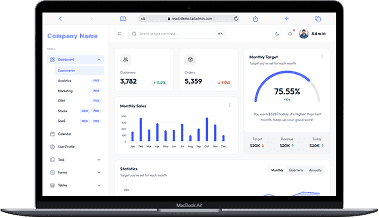
A perfect fit for someone who is getting started with a minimal budget, and looking for the premium features, UI/UX and scalability.
Training Institutes are finding Skilldeck.net quite useful, and are expediting their process & cutting down on the resources across all departments significantly. By reducing their expenses across all departments by at least 40%.
Skilldeck platform is developed by Manjunath Chowdary and team, Ex-Marketing head of Knowledgehut Upgrad, founder of KandraDigital Marketing solutions, and has built the tech and marketing strategies for various training companies.

Manjunath Chowdary
Founder & CEO, SkillDeck


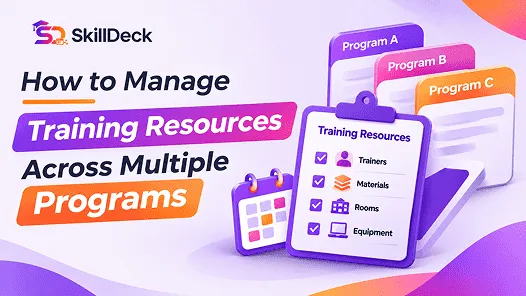
Learn how to manage trainers, training materials, rooms, equipment, and schedules across multiple programs with clear allocation rules, centralised records, and regular resource reviews.
Natasha
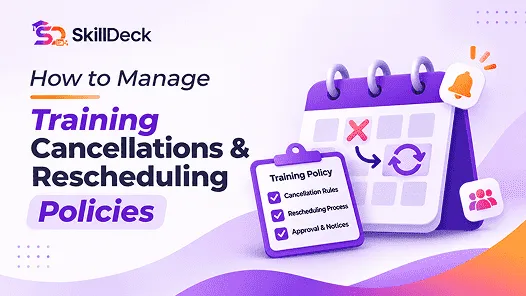
Learn how to manage training cancellations and rescheduling with clear policies, notice periods, participant communication, trainer coordination, and updated schedules.
Natasha

Compare learning platforms for corporate teams, focusing on course delivery, personalised learning, content discovery, skills development, and reporting. Explore leading options and identify the capabilities that best match your organisation’s training needs.

Alex

Compare student information systems for coaching and training centers based on student records, admissions, attendance, fee tracking, batch management, and learning progress to find the right fit for your institute.
Alex
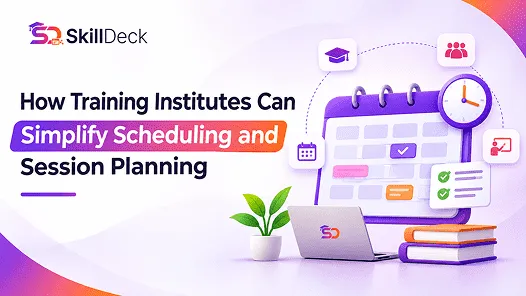
Discover how training institutes can simplify scheduling and session planning by organising batches, allocating trainers and classrooms, preventing timetable conflicts, and managing schedule changes efficiently.
Natasha

Learn how to conduct a training needs assessment by identifying business requirements, evaluating current skills, analysing performance gaps, prioritising training needs, and defining measurable learning objectives.
Alex