Learn how to manage trainers, training materials, rooms, equipment, and schedules across multiple programs with clear allocation rules, centralised records, and regular resource reviews.

Learn how to coordinate trainers, materials, rooms, equipment, schedules, and digital resources across multiple training programs with a structured resource management process.
Managing resources for one training program can be straightforward. The challenge increases when several programs run simultaneously, share the same trainers, use common training materials, or compete for limited rooms and equipment.
Without a consistent process, training teams may double-book trainers, run short of materials, overlook resource requirements, or struggle to identify which program has access to a particular resource.
Effective training resource management starts with knowing what is available, understanding what each program requires, and allocating resources according to priority and availability. This guide explains how to manage those responsibilities across multiple training programs.
Begin by listing the resources each training program needs. Requirements may vary depending on the subject, delivery format, number of participants, and duration.
Trainers and subject-matter experts: People responsible for delivering sessions and supporting learners.
Training materials: Presentations, manuals, worksheets, recorded lessons, and practical exercises.
Rooms and facilities: Classrooms, meeting rooms, laboratories, and other learning spaces.
Equipment: Computers, projectors, specialist tools, and other session-specific equipment.
Digital resources: Learning platforms, online meeting tools, software licences, and digital course content.
Administrative support: Coordinators responsible for enrolments, attendance, scheduling, and learner communication.
Create a resource checklist for each program. This helps the team identify requirements before sessions begin rather than discovering shortages at the last minute.
A central inventory gives the training team a consistent view of available resources and their current status.
For each resource, record the details relevant to its use.
| Resource | Details to Track |
|---|---|
| Trainers | Skills, availability, assigned programs |
| Training materials | Version, subject, storage location |
| Rooms | Capacity, availability, equipment |
| Equipment | Quantity, condition, booking status |
| Digital tools | Access permissions, licence availability |
| Training platforms | Supported programs, access requirements |
Keep the inventory updated when resources are added, assigned, replaced, or no longer available. For shared materials, identify the approved version so that different programs do not use outdated content.
A spreadsheet may be sufficient for a small number of programs. When the number of programs, trainers, and bookings increases, a central training management system may make resource information easier to maintain.
Do not plan each program in isolation. Review the complete training calendar to identify where multiple programs need the same resources.
Two programs may require the same specialist trainer on the same day. Another program may need a computer lab already booked for a different group.
Planning across all programs helps the team make allocation decisions based on the overall training schedule rather than handling conflicts individually after they occur.
Trainer allocation requires more than checking whether someone is free. The trainer must also have the appropriate subject knowledge, experience, and preparation time.
Maintain a shared trainer calendar showing confirmed assignments and available time. If a trainer becomes unavailable, review the impact on every affected program before assigning a replacement.
Several programs may use the same presentations, reference documents, templates, or learning resources. Shared materials reduce duplication, but they need clear ownership and version control.
When a course is updated, identify every program that uses the affected material. This prevents one program from using revised content while another continues with an outdated version.
Where programs require different versions of a resource, label them clearly rather than replacing them without checking their dependencies.
Physical and digital resources can create scheduling conflicts when several programs operate at the same time.
For rooms and equipment, maintain booking records that include the date, time, capacity, required setup, and assigned program. Check that the room or equipment is suitable for the planned activity.
Use a single booking process for shared resources. If a program changes dates, release its previous booking and update the new one to prevent accidental double-booking.
A shared calendar provides visibility into the timing of programs and their resource commitments.
Make it clear which bookings are tentative and which are confirmed. Limit editing permissions where necessary so that unauthorised changes do not create conflicts.
Whenever a session is moved or cancelled, update the calendar and notify the people affected. The calendar should reflect the current approved schedule rather than an outdated plan.
When multiple programs share resources, teams need clear rules for deciding who gets access when demand exceeds availability.
For example, a specialist trainer may be needed by two programs on the same date. The team can review the confirmed commitments, program requirements, trainer availability, and alternative dates before deciding how to resolve the conflict.
Avoid informal arrangements that exist only in individual emails or messages. Record the final allocation in the central schedule so all relevant coordinators work from the same information.
Resource allocation should be reviewed throughout the training cycle, not only when programs are first scheduled.
Monitor whether resources are being used as planned and whether any program regularly experiences shortages.
Use the findings to adjust future schedules and resource plans. For instance, repeated conflicts involving a specialist trainer may indicate the need to distribute sessions across more dates or develop additional internal training capability.
The objective is to improve resource availability and coordination, not simply to maximise the usage of every resource.
When several programs share trainers, materials, schedules, and learner groups, manually updating separate spreadsheets can become difficult to maintain.
Training management software can help centralise program information and coordinate related activities. Depending on the system, useful capabilities may include:
Before choosing a system, verify which resource-management workflows it supports. A platform that manages courses but does not handle your required booking or allocation process may still leave significant manual work.
Managing multiple training programs requires a clear view of schedules, trainers, batches, and learning activities. Skilldeck provides training management and LMS capabilities that organisations can evaluate for coordinating their training operations.
Explore Skilldeck Training ManagementManaging training resources across multiple programs requires centralised information, advance planning, clear allocation rules, and regular schedule reviews. Training teams should track trainer availability, maintain approved learning materials, coordinate rooms and equipment, and keep resource bookings updated whenever program requirements change.
As the number of programs grows, a shared calendar and central resource inventory can help prevent conflicts. Training management software can further support coordination when its features match the organisation's scheduling, resource-tracking, and training-administration needs.
Skilldeck replaces 10+ software tools with one integrated, automated platform.

Skilldeck is a fully automated, budget-friendly plug-and-play solution designed for training institutes. It offers every essential feature needed to run and scale a training business, helping organizations accelerate growth with minimal effort and cost.
at a Fraction of the Cost
If you're seeking powerful tech and marketing automation that delivers results, Skilldeck is your go-to solution. Specifically built for training institutes, it offers everything you need in one place — from lead generation to operations — driving growth efficiently and affordably.
...and much more, all designed to scale your business effortlessly.
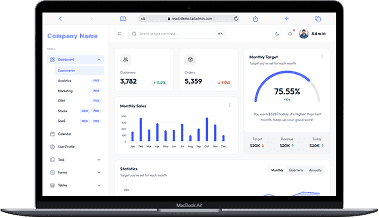
A perfect fit for someone who is getting started with a minimal budget, and looking for the premium features, UI/UX and scalability.
Training Institutes are finding Skilldeck.net quite useful, and are expediting their process & cutting down on the resources across all departments significantly. By reducing their expenses across all departments by at least 40%.
Skilldeck platform is developed by Manjunath Chowdary and team, Ex-Marketing head of Knowledgehut Upgrad, founder of KandraDigital Marketing solutions, and has built the tech and marketing strategies for various training companies.

Manjunath Chowdary
Founder & CEO, SkillDeck

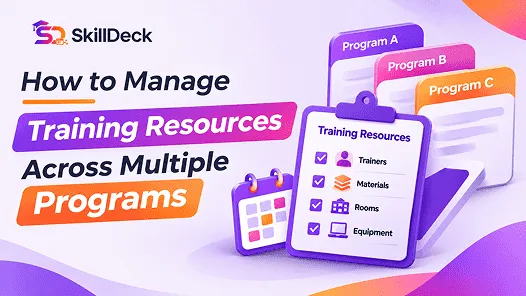
Learn how to manage trainers, training materials, rooms, equipment, and schedules across multiple programs with clear allocation rules, centralised records, and regular resource reviews.
Natasha
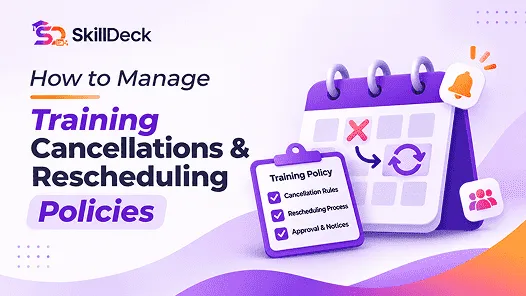
Learn how to manage training cancellations and rescheduling with clear policies, notice periods, participant communication, trainer coordination, and updated schedules.
Natasha

Compare learning platforms for corporate teams, focusing on course delivery, personalised learning, content discovery, skills development, and reporting. Explore leading options and identify the capabilities that best match your organisation’s training needs.

Alex
Compare student information systems for coaching and training centers based on student records, admissions, attendance, fee tracking, batch management, and learning progress to find the right fit for your institute.
Alex
Discover how training institutes can simplify scheduling and session planning by organising batches, allocating trainers and classrooms, preventing timetable conflicts, and managing schedule changes efficiently.
Natasha

Learn how to conduct a training needs assessment by identifying business requirements, evaluating current skills, analysing performance gaps, prioritising training needs, and defining measurable learning objectives.
Alex