Explore how online assessment software helps training institutes create tests, evaluate learners, track performance, automate results, and improve training outcomes.

Assessments are an important part of any professional training program. They help training institutes understand whether learners have understood the course material, achieved the required skills, and are ready to complete their training successfully.
Traditionally, assessments were conducted using printed question papers, spreadsheets, manual evaluation, and physical records. While these methods may work for smaller batches, they can become difficult to manage when an institute handles hundreds or thousands of learners.
Training institutes today need faster, more reliable, and scalable ways to conduct tests and evaluate student performance. This is where online assessment software becomes valuable.
Online assessment software allows institutes to create tests, assign assessments, collect answers, evaluate submissions, generate results, and monitor learner performance through a centralized digital system.
However, choosing the right assessment platform requires more than simply looking for an online quiz creator. Training institutes should consider question management, automated evaluation, security, reporting, learner management, scalability, integrations, and overall cost.
This guide explains the important features, benefits, limitations, selection criteria, and advantages of using an integrated platform such as Skilldeck for managing online assessments and broader training operations.
Online assessment software is a digital platform that enables organizations to create, deliver, evaluate, and manage assessments electronically.
Instead of distributing printed question papers and manually calculating scores, instructors can manage the assessment process digitally.
A well-designed assessment system can connect assessments with student profiles, courses, batches, attendance, learning progress, and certification.
Training institutes often conduct assessments across multiple courses and batches. Managing these assessments manually can create several challenges.
Online assessment software can simplify these processes by providing a centralized environment.
For example, an institute can create an assessment for a particular course, assign it to a batch, allow students to complete it online, automatically calculate eligible scores, and generate performance reports.
This saves time for trainers and administrators while providing learners with a more convenient assessment experience.
A strong assessment platform should provide a centralized question bank.
A reusable question bank allows trainers to create multiple assessments without preparing every question from scratch.
Different training programs require different assessment formats.
Different formats allow trainers to evaluate both basic knowledge and deeper understanding.
Not every question type can be evaluated automatically. Descriptive or practical responses may still require trainer review.
Trainers should be able to create assessments without requiring technical expertise.
A simple test-building interface can make adoption easier for trainers.
Automated evaluation is one of the biggest advantages of online assessment software.
This significantly reduces manual evaluation work.
Automated evaluation is less suitable for subjective responses, projects, presentations, and practical demonstrations that require human judgment.
Training institutes may need to control how long students can spend on an assessment.
These features can help institutes create more structured assessments.
Question randomization can help create different test versions for learners.
The system can randomly select questions from a predefined question bank.
This feature can be especially useful for large batches.
Assessment software should not only produce scores. It should help institutes understand learner performance.
This information can help trainers identify learners who need additional support.
Once an assessment is completed, the platform should generate results efficiently.
Automated reports eliminate the need for trainers to manually calculate and compile results.
Students may access assessments through desktops, laptops, tablets, or smartphones.
A mobile-friendly interface makes it easier for learners to complete tests from different devices.
This is particularly useful for institutes offering online and hybrid training programs.
Assessment software becomes more useful when it connects directly with courses and batches.
Course → Batch → Students → Assessment → Results → Progress
This connected workflow provides administrators with better visibility into the learner journey.
Assessment security is critical, particularly when tests contribute to certification or course completion.
For higher-stakes examinations, institutes may also need additional controls depending on their requirements.
Analytics can help management understand overall training performance.
These insights can help institutes identify areas where their curriculum or training delivery may need improvement.
Automated assessment creation, evaluation, scoring, and reporting can significantly reduce administrative work.
Students can receive results much faster compared with manual evaluation.
Automated scoring can reduce mistakes in calculations and result preparation.
Digital assessments make it easier to test large numbers of students simultaneously.
Learners can access assessments conveniently and receive results more quickly.
Performance analytics allow trainers to identify strengths and weaknesses at individual and batch levels.
Digital assessments reduce the need for printed question papers, answer sheets, and physical record storage.
Because the topic directly relates to software adoption, understanding both advantages and limitations is important.
The disadvantages are generally manageable when the institute chooses a reliable, scalable, and properly supported platform.
The platform should make it easy to create, organize, reuse, and update questions.
Look for automated scoring, result generation, notifications, and reporting.
Assessment data and student information should be protected through appropriate security and access controls.
The platform should support growing numbers of students and assessments without creating performance problems.
Make sure trainers and management can easily access useful performance data.
If the institute already uses an LMS, CRM, website, or student management system, integration capabilities should be considered.
Don't compare only subscription prices.
One of the biggest problems training institutes face is managing multiple disconnected technology systems.
An institute may use one tool for its website, another for its LMS, another for CRM, another for student management, another for marketing, and a separate solution for assessments.
This creates additional subscriptions, integrations, maintenance responsibilities, and technical complexity.
Skilldeck takes an all-in-one approach for training businesses. Its platform brings together website, LMS, CRM, marketing automation, and other training-business capabilities.
Online assessments work best when they are connected with the rest of the learning journey.
Skilldeck is designed around training-business operations, helping organizations manage areas such as courses, students, batches, trainers, learning, certificates, and reporting through a connected environment.
This can reduce the need to move information between multiple disconnected tools.
An assessment should not exist as an isolated activity.
Student Enrollment → Course → Batch → Learning → Assessment → Performance → Certification
A connected platform makes this workflow easier to manage and gives administrators better visibility into student progress.
Automation can reduce repetitive administrative work.
Instead of manually managing every stage of assessment administration, training businesses can use digital workflows to streamline learner management, notifications, progress tracking, and related training activities.
Skilldeck positions automation as a core part of its training-business platform.
Security becomes particularly important when institutes store student records, assessment results, course information, and certification details.
Skilldeck provides a centralized cloud-based environment, with its higher-tier Business plan highlighting advanced security and permissions.
Institutes should still evaluate current security and compliance requirements based on their specific use case before implementation.
Training institutes need a platform that can support growing numbers of learners and courses without creating unnecessary operational complexity.
Skilldeck is positioned as an infrastructure platform for training businesses and emphasizes scalability and performance as organizations grow.
Assessment is only one part of a training business.
Institutes also need to attract learners, promote courses, manage leads, and maintain a professional digital presence.
Skilldeck combines training functionality with website, CRM, marketplace, and marketing capabilities, allowing training businesses to connect learning operations with student acquisition and growth.
A small institute may start with a few courses and a limited number of assessments. As it grows, the number of learners, instructors, courses, and tests can increase significantly.
Skilldeck offers plans with different resource levels, including options for large-scale usage and unlimited LMS courses, active students, instructors, and certificates at its Business tier.
This gives growing training businesses room to expand without having to rebuild their entire technology stack.
One of the strongest reasons to consider an integrated platform is reducing the amount of technology management required from the training company.
training businesses can consolidate many of these requirements within one ecosystem.
Skilldeck describes itself as a plug-and-play platform designed to eliminate technology headaches for training companies.
rather than managing technology.
Running multiple platforms can become expensive over time.
Separate subscriptions, integrations, maintenance, hosting, and technical resources can increase the actual cost of running an online training operation.
Skilldeck's pricing currently includes a Starter plan at $59/month, a Growth plan at $140/month, and a Business plan at $299/month, with different usage limits and features. It also offers a 14-day free trial and states that there are no setup fees.
Training institutes should evaluate the current pricing and resource requirements against their specific needs before choosing a plan.
Area | Manual Assessment | Online Assessment Software |
Test Creation | Manual | Digital |
Evaluation | Mostly manual | Automated for objective questions |
Results | Delayed | Faster |
Student Records | Paper/spreadsheets | Centralized |
Reporting | Time-consuming | Automated |
Question Reuse | Difficult | Easy |
Scalability | Limited | High |
Performance Tracking | Manual | Digital analytics |
Paper Usage | High | Low |
Administration | High workload | Reduced workload |
The best online assessment software for training institutes should do more than create online quizzes. It should connect assessments with courses, students, batches, learning progress, performance tracking, certification, and reporting.
Manual assessments can work for small training programs, but their disadvantages become increasingly visible as the institute grows. Manual evaluation, delayed results, paper-based records, administrative workload, difficulty handling large batches, and limited analytics can restrict operational efficiency.
Standalone assessment software can solve some of these problems, but it can introduce another challenge: technology fragmentation.
When an institute uses separate platforms for assessments, LMS, CRM, website management, student management, marketing, and certificates, the organization may end up paying for multiple tools while also carrying the technical burden of maintaining them.
This is where Skilldeck offers a stronger approach.
Skilldeck is designed as an all-in-one platform for training businesses, combining website, LMS, CRM, marketing automation, marketplace capabilities, and training management functionality in one ecosystem.
For training institutes, this can mean less dependency on multiple vendors, fewer disconnected systems, lower operational complexity, and reduced technology management.
The platform's training capabilities, scalability, automation, security-focused features, performance orientation, and marketing infrastructure can help institutes build a more connected training operation.
Most importantly, training institutes can leave much of the technology burden to Skilldeck instead of investing heavily in developing and maintaining their own technology stack.
This allows institutes to concentrate on what actually drives their business: quality training, student success, course development, marketing, and growth.
For training companies looking for a secure, scalable, performance-focused, marketable, and cost-efficient technology foundation, Skilldeck is a strong platform to consider.
Skilldeck replaces 10+ software tools with one integrated, automated platform.
Skilldeck is a fully automated, budget-friendly plug-and-play solution designed for training institutes. It offers every essential feature needed to run and scale a training business, helping organizations accelerate growth with minimal effort and cost.
at a Fraction of the Cost
If you're seeking powerful tech and marketing automation that delivers results, Skilldeck is your go-to solution. Specifically built for training institutes, it offers everything you need in one place — from lead generation to operations — driving growth efficiently and affordably.
...and much more, all designed to scale your business effortlessly.
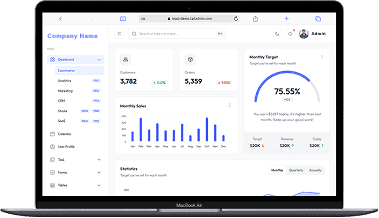
A perfect fit for someone who is getting started with a minimal budget, and looking for the premium features, UI/UX and scalability.
Training Institutes are finding Skilldeck.net quite useful, and are expediting their process & cutting down on the resources across all departments significantly. By reducing their expenses across all departments by at least 40%.
Skilldeck platform is developed by Manjunath Chowdary and team, Ex-Marketing head of Knowledgehut Upgrad, founder of KandraDigital Marketing solutions, and has built the tech and marketing strategies for various training companies.

Manjunath Chowdary
Founder & CEO, SkillDeck
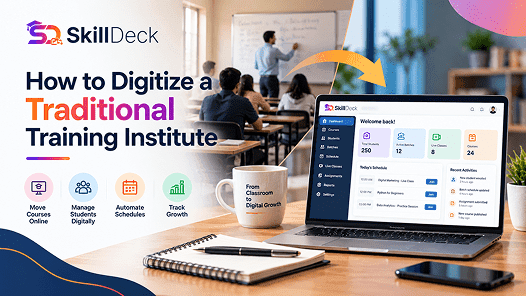
Learn how to digitize a traditional training institute using online learning, student management, automation, and digital marketing to simplify operations and support business growth.
Alex
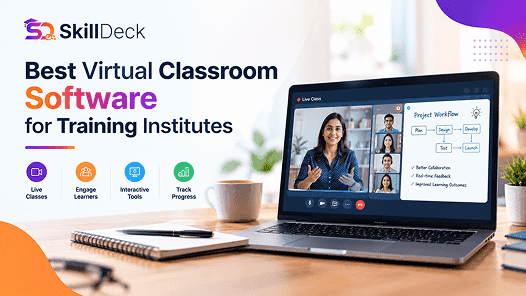
Discover how virtual classroom software helps training institutes manage live classes, trainers, learners, attendance, communication, and online learning from one platform.

Natasha
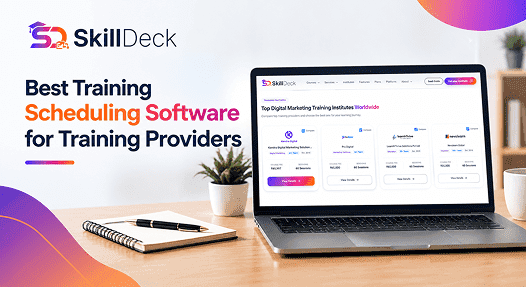
Discover how training scheduling software helps providers manage courses, batches, trainers, calendars, sessions, and learner schedules while reducing administrative work.
Alex
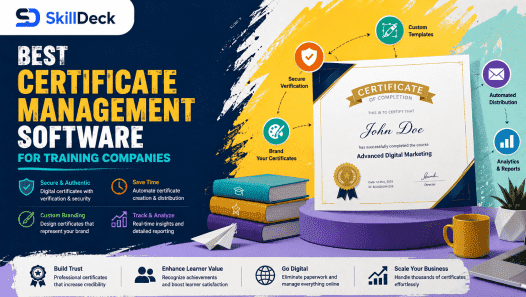
Discover how certificate management software helps training companies automate certificate creation, verification, tracking, and delivery while reducing administrative work and improving the learner experience.
Natasha
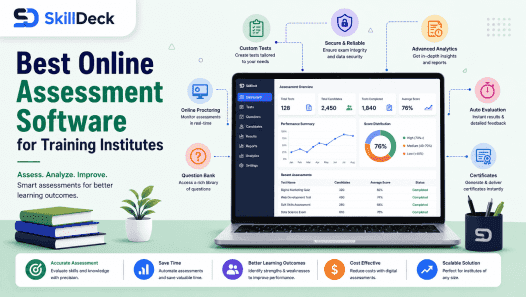
Explore how online assessment software helps training institutes create tests, evaluate learners, track performance, automate results, and improve training outcomes.
Alex
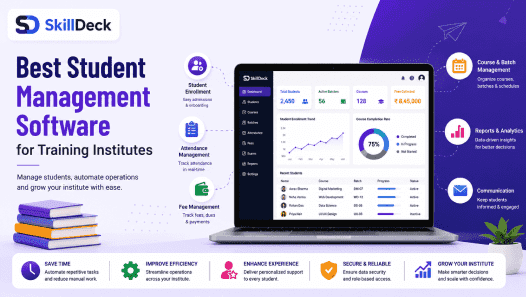
Discover how student management software can simplify enrollment, batch management, attendance, communication, assessments, and reporting while helping training institutes improve efficiency and scale.
Natasha