Learn how to digitize a traditional training institute using online learning, student management, automation, and digital marketing to simplify operations and support business growth.

Traditional training institutes have long relied on classroom teaching, printed materials, telephone enquiries, spreadsheets, and manual administrative processes. These methods can work well for smaller operations, but they often become difficult to manage when the institute starts expanding its courses, student batches, trainers, and locations.
Students increasingly expect convenient enrollment, online learning resources, digital payments, timely updates, and easy access to course information. Training providers also need better ways to manage enquiries, track student progress, coordinate trainers, and promote their programs.
Digitizing a traditional training institute means using digital tools to improve how the business operates, delivers training, manages students, and attracts new learners. It does not necessarily mean abandoning classroom teaching. Instead, institutes can combine their existing strengths with digital systems to create more flexible and efficient operations.
However, adopting multiple tools without a clear plan can increase costs, complicate workflows, and create additional technical responsibilities.
This guide explains how to digitize a traditional training institute, the advantages and disadvantages of different approaches, and how Skilldeck can help training providers simplify digital transformation through an integrated platform.
Before investing in software, identify the areas where your institute spends the most time and resources.
Student enquiries and admissions
Course information and registrations
Trainer assignments and batch schedules
Attendance and assessments
Fee collection and payment records
Certificates and student documents
Marketing and lead follow-ups
Student communication and reporting
For example, if admission enquiries arrive through phone calls, WhatsApp, and website forms, your team may struggle to maintain a consistent follow-up process. Similarly, maintaining attendance in spreadsheets can make it difficult to generate reliable reports across multiple batches.
Documenting these processes helps you prioritize digitization based on actual business needs rather than purchasing software simply because it offers many features.
Your website should serve as the digital front door of your training institute.
Students should be able to understand your courses, explore schedules, review program details, and contact your team without relying entirely on telephone enquiries.
Course descriptions and learning outcomes
Training schedules and batch information
Trainer profiles
Online enquiry and registration forms
Contact information
Frequently asked questions
Mobile-friendly page layouts
Search engine optimization
A well-structured website can help your institute establish credibility and attract enquiries beyond its immediate geographical area.
Pros: A website gives prospective students access to course information around the clock and provides a foundation for digital marketing.
Cons: A poorly maintained website can become outdated, load slowly, or fail to convert visitors into enquiries. Custom development can also introduce additional costs and maintenance requirements.
Choosing a platform with built-in website management and SEO capabilities can reduce the need to manage separate tools.
A learning management system (LMS) allows training institutes to organize and deliver learning materials digitally.
Even institutes that primarily conduct classroom training can benefit from an LMS by providing supplementary resources, recorded lessons, practice quizzes, assignments, and course documents.
Organize courses into modules
Upload videos and learning materials
Provide online assessments
Track student progress
Manage course access
Issue certificates where appropriate
A blended learning model allows students to attend classroom sessions while accessing supplementary content online.
Pros: Digital learning resources are easier to distribute, update, and reuse across batches.
Cons: An LMS requires content preparation, learner onboarding, and ongoing course maintenance. A separate LMS may also create data silos if it does not connect with student management and other business systems.
Student administration is one of the most important areas to digitize.
Instead of maintaining separate spreadsheets, paper forms, and email records, use a centralized system to manage prospective and enrolled students.
Enquiry capture
Student profiles
Admission status
Course enrollment
Batch allocation
Payment records
Attendance
Learning progress
Certificate history
A CRM can also help your admissions team track enquiries, assign leads, record follow-ups, and identify prospective students who are ready to enroll.
This becomes especially valuable when several counsellors handle enquiries across different courses.
Pros: Centralized records improve visibility and reduce repetitive data entry.
Cons: Moving existing records into a new system takes planning. Staff must also follow consistent procedures to maintain accurate information.
Once student and course information is centralized, the next step is to automate repetitive tasks.
Enquiry acknowledgement emails
Admission follow-up reminders
Enrollment confirmations
Batch schedule notifications
Payment reminders
Session reminders
Assessment notifications
Course completion updates
For example, when a prospective student submits an enquiry, a digital workflow can record the lead and notify the relevant admissions representative. After enrollment, the student can receive the relevant course information and schedule.
Automation should be introduced gradually, beginning with tasks that consume significant staff time.
Pros: Automation can reduce manual work, improve response consistency, and help prevent missed follow-ups.
Cons: Poorly configured workflows may send incorrect or duplicate messages. Automated processes need testing, monitoring, and appropriate data permissions.
Training institutes must coordinate trainers, classrooms, courses, batches, and learners.
Digital scheduling helps administrators manage these activities from a shared calendar instead of updating multiple spreadsheets.
Batch creation and scheduling
Trainer availability
Classroom allocation
Online session links
Attendance tracking
Schedule change notifications
Recurring sessions
Session reports
This is particularly useful for institutes that operate morning and evening batches, multiple locations, or both classroom and online programs.
Digital attendance records can also help administrators review participation and identify learners who may need support.
Digital enrollment can make it easier for students to register without visiting the institute physically.
Depending on your business model, you may offer online enquiry forms, registration forms, digital invoices, and online payment options.
Course and batch selection
Registration forms
Payment gateway integration
Payment confirmation
Discounts and coupons
Transaction records
Refund tracking
Connecting enrollment and payment information with student records reduces the need to reconcile data manually across different systems.
Pros: Digital payment options offer convenience and can simplify transaction tracking.
Cons: Payment gateway charges, failed transactions, refund handling, and reconciliation still require appropriate processes.
Digitization is not only about internal operations. Your institute also needs a reliable way to attract prospective learners.
Search engine optimization (SEO)
Google Ads
Social media marketing
Email marketing
Course landing pages
Educational blog content
Webinars and online events
Lead capture forms
Start by identifying the courses you want to promote and the types of students you want to reach.
Create useful course pages and publish content that answers prospective learners' questions. Track enquiries and admissions to understand which marketing activities contribute to business growth.
Pros: Digital marketing can help institutes reach wider audiences and measure campaign performance.
Cons: Paid campaigns require ongoing budget management, while SEO and content marketing take time. Digital tools cannot guarantee enquiries or enrollments.
Paper-based assessments and certificate preparation can create administrative work, particularly when an institute handles multiple batches.
Digital assessment tools can support online quizzes, objective-question scoring, assignment submission, and performance reports.
Certificate workflows can help staff organize completion records and generate certificates using standardized templates.
These processes should be connected to appropriate course completion requirements so certificates are issued accurately.
For practical examinations or descriptive assessments, trainers may still need to evaluate submissions manually.
Digital transformation increases the importance of information security.
Your institute may store names, contact details, payment records, assessment results, and other student information. Access should be restricted according to staff responsibilities.
Role-based access controls
Secure authentication
Data protection measures
Backup and recovery procedures
Access and activity records
Appropriate privacy practices
Reporting is equally important. Use digital records to review admissions, attendance, course completion, student engagement, and revenue.
These reports can help management identify operational problems and make better-informed decisions.
Digitization offers several advantages, but its success depends on choosing appropriate tools and implementing them carefully.
Advantages | Potential disadvantages |
Reduced manual administration | Initial setup and migration effort |
Better student record management | Staff training requirements |
Wider marketing reach | Ongoing marketing expenses |
Flexible learning delivery | Digital content preparation |
Faster communication | Incorrect automation if poorly configured |
Easier reporting | Data quality and integration challenges |
Better scalability | Software costs if tools are fragmented |
The biggest risk is adopting too many separate systems. An institute may end up managing one tool for its website, another for its LMS, a third for CRM, and additional subscriptions for marketing, payments, and communication.
This increases the number of systems staff must learn, maintain, and connect.
A connected platform can reduce this complexity by bringing related operations together.
Skilldeck is designed specifically for training institutes and training businesses. Its platform brings together website and content management, LMS, CRM, training and batch management, marketing, and other business functions in one ecosystem.
Rather than building a separate technology stack from scratch, institutes can use an integrated platform to digitize multiple parts of their operations.
Skilldeck's training management capabilities support batch scheduling, learner management, attendance, progress tracking, and related training workflows.
This helps institutes connect administrative processes with learning delivery instead of treating each task as a separate activity.
A digital training business needs more than an online classroom. It also needs a website, discoverable course pages, lead capture, and marketing workflows.
Skilldeck combines website and SEO capabilities with CRM and marketing functionality. This helps institutes connect course promotion with enquiry management and admissions.
Skilldeck's integrated approach can help reduce repetitive administrative tasks and the need to move information between disconnected tools.
Institutes can focus on organizing training programs, supporting learners, improving course quality, and managing growth rather than coordinating multiple software products.
Security should be evaluated before any institute migrates student information to a digital platform.
Skilldeck highlights role-based access and advanced security and permissions among its platform capabilities. Its website also emphasizes performance, scalable infrastructure, and centralized operations. Review the current security documentation and service commitments to confirm that they meet your institute's requirements.
As an institute grows, it may need more courses, batches, instructors, students, and locations.
Skilldeck offers different plans and resource levels for training businesses at different stages. Its integrated website, CRM, LMS, and marketing capabilities can also support a more connected process from course discovery to enrollment and learning.
Developing and maintaining a custom website, LMS, CRM, and automation infrastructure can require ongoing investment in developers, hosting, integrations, and maintenance.
Skilldeck aims to reduce this burden by providing a connected platform with built-in capabilities. Its website highlights no setup fees, free migration, and 24/7 support; confirm the current terms and availability with the company before purchasing.
The practical advantage is that training providers can devote more of their budget and staff time to course delivery, trainer development, student support, and business growth rather than maintaining multiple technology systems.
Digitizing a traditional training institute is not simply about launching a website or uploading course videos. It involves improving the entire learner journey, from the first enquiry to admission, training delivery, assessments, certificates, and ongoing communication.
Manual processes can become difficult to manage as an institute expands. Meanwhile, adopting several independent digital tools can introduce additional subscriptions, integration issues, duplicated records, maintenance requirements, and technical responsibilities.
These disadvantages make an integrated approach worth considering.
Skilldeck offers a training-focused platform that brings website management, LMS, CRM, training operations, and marketing capabilities together. This can help institutes modernize their operations without independently building and maintaining every part of their technology stack.
For institutes looking for a scalable, security-conscious, performance-focused, and marketable digital foundation, Skilldeck is a strong option to evaluate. The platform's greatest potential benefit is reducing technology complexity so that the institute can concentrate on what matters most: quality training, learner satisfaction, student acquisition, and sustainable business growth.
Skilldeck replaces 10+ software tools with one integrated, automated platform.
Skilldeck is a fully automated, budget-friendly plug-and-play solution designed for training institutes. It offers every essential feature needed to run and scale a training business, helping organizations accelerate growth with minimal effort and cost.
at a Fraction of the Cost
If you're seeking powerful tech and marketing automation that delivers results, Skilldeck is your go-to solution. Specifically built for training institutes, it offers everything you need in one place — from lead generation to operations — driving growth efficiently and affordably.
...and much more, all designed to scale your business effortlessly.
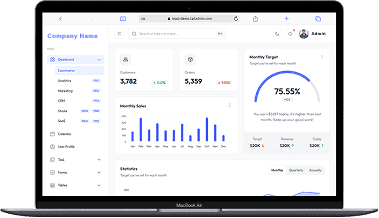
A perfect fit for someone who is getting started with a minimal budget, and looking for the premium features, UI/UX and scalability.
Training Institutes are finding Skilldeck.net quite useful, and are expediting their process & cutting down on the resources across all departments significantly. By reducing their expenses across all departments by at least 40%.
Skilldeck platform is developed by Manjunath Chowdary and team, Ex-Marketing head of Knowledgehut Upgrad, founder of KandraDigital Marketing solutions, and has built the tech and marketing strategies for various training companies.

Manjunath Chowdary
Founder & CEO, SkillDeck
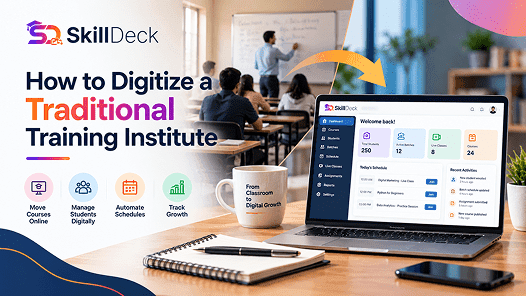
Learn how to digitize a traditional training institute using online learning, student management, automation, and digital marketing to simplify operations and support business growth.
Alex
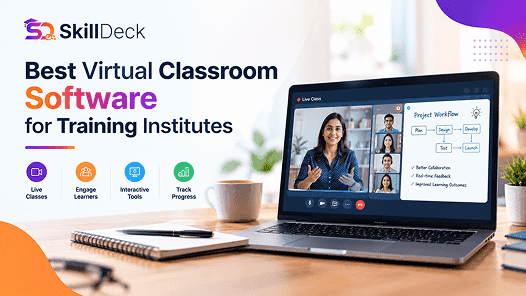
Discover how virtual classroom software helps training institutes manage live classes, trainers, learners, attendance, communication, and online learning from one platform.

Natasha
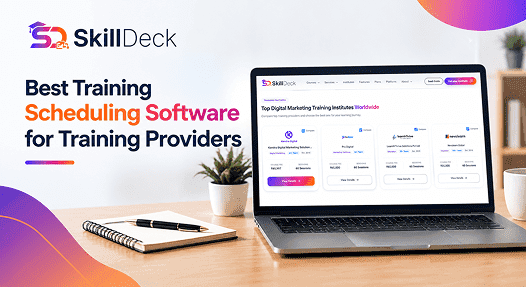
Discover how training scheduling software helps providers manage courses, batches, trainers, calendars, sessions, and learner schedules while reducing administrative work.
Alex
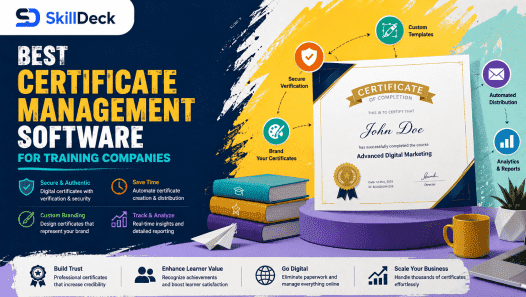
Discover how certificate management software helps training companies automate certificate creation, verification, tracking, and delivery while reducing administrative work and improving the learner experience.
Natasha
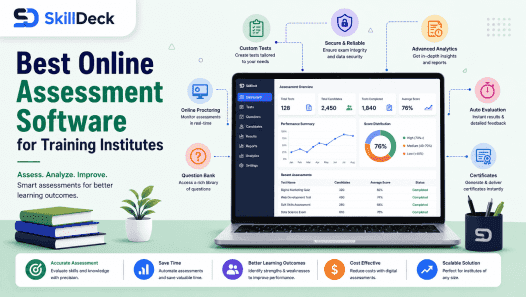
Explore how online assessment software helps training institutes create tests, evaluate learners, track performance, automate results, and improve training outcomes.
Alex
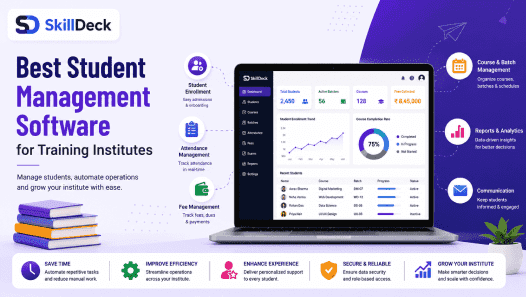
Discover how student management software can simplify enrollment, batch management, attendance, communication, assessments, and reporting while helping training institutes improve efficiency and scale.
Natasha