Discover how virtual classroom software helps training institutes manage live classes, trainers, learners, attendance, communication, and online learning from one platform.

Virtual learning has become an important part of modern training. Training institutes now serve learners across different cities, time zones, and schedules, making traditional classroom management more challenging. A reliable virtual classroom solution allows institutes to conduct live sessions, communicate with learners, manage trainers, share learning resources, and monitor participation from a centralized environment.
The best virtual classroom software for training institutes should do more than provide video conferencing. It should support the complete training process, from scheduling a class and inviting learners to tracking attendance, managing courses, and reviewing performance.
For growing institutes, choosing an integrated platform can also reduce the need to manage multiple disconnected tools.
Virtual classroom software is a digital platform that enables trainers and learners to participate in live online classes. It typically combines video conferencing, screen sharing, chat, digital resources, attendance tracking, assessments, and other learning features.
Live video and audio classes
Screen sharing and presentations
Learner communication
Chat and discussions
Attendance tracking
Course and batch management
Trainer management
Assessments and quizzes
Progress tracking
Certificates and reports
Training institutes often manage several courses, trainers, batches, and learner groups at the same time. Managing these activities manually can create unnecessary administrative work.
Multiple trainers conducting different courses
Several batches running simultaneously
Learners attending from different locations
Online and offline training programs
Different class schedules
Attendance and progress requirements
Common problems include scheduling conflicts, missed sessions, manual attendance records, scattered communication, and difficulty tracking learner progress.
Virtual classroom software brings these activities together and creates a more organized learning environment.
The primary purpose of virtual classroom software is to support live online learning.
Reliable video and audio
Screen sharing
Presentation support
Interactive discussions
Chat functionality
Session controls
Easy learner access
This allows trainers to deliver instructor-led training without requiring learners to be physically present.
Training institutes frequently run multiple batches for the same or different courses.
Creating batches
Assigning trainers
Setting class timings
Managing recurring sessions
Adding learners
Updating schedules
Centralized batch management makes it easier for administrators to understand what is happening across the institute.
A virtual classroom platform should make trainer coordination easier.
Assigned courses
Assigned batches
Session schedules
Learner groups
Training activities
Performance information
This reduces the need for administrators to coordinate every activity through spreadsheets, calls, or messages.
Training providers may offer dozens of courses throughout the year.
Course information
Learning materials
Modules
Trainers
Batches
Assessments
Certifications
This creates a structured learning journey for learners and makes course administration easier.
Attendance is particularly important for certification programs and professional training.
Learner attendance
Session participation
Absence
Batch attendance
Attendance reports
This also gives administrators better visibility into learner engagement.
Virtual classrooms should encourage participation instead of simply broadcasting a lecture.
Live chat
Polls
Quizzes
Q&A
Discussions
Assignments
Collaborative activities
These features can help trainers create more engaging sessions.
Upcoming classes
Schedule changes
Assignments
Assessments
Deadlines
Course activities
Automation reduces the workload on administrative teams and helps learners stay informed.
Recorded sessions can be valuable for learners who miss a class or want to revise a topic.
Recorded lectures
Presentation files
Study materials
Course documents
Assignments
Additional resources
This makes learning more flexible and gives learners access to resources beyond the live classroom.
Training institutes need to understand whether learners are completing their courses successfully.
Course completion
Attendance
Assessment results
Learning activity
Batch performance
For example, Skilldeck's training management platform provides batch management, attendance tracking, progress reports, performance analytics, automated reminders, and certification capabilities.
Reports help administrators make informed decisions.
Attendance reports
Course completion reports
Learner performance
Trainer activity
Batch performance
Certification data
Analytics become increasingly important as an institute grows and manages more learners.
Join live classes
Check schedules
Access course content
Review progress
Receive notifications
Mobile accessibility can improve convenience for learners who are not always near a desktop computer.
A virtual classroom platform becomes more useful when it can work alongside other business systems.
LMS platforms
CRM systems
Payment systems
Email communication
Attendance systems
Reporting tools
An integrated approach reduces duplicate data entry and disconnected workflows.
Reduces Administrative Work
Automating scheduling, attendance, reminders, reporting, and learner communication can save considerable administrative time.
Improves Learner Experience
Learners can access classes, resources, schedules, and progress information from a centralized environment.
Supports Remote Learning
Institutes can reach learners beyond their local geographical area without requiring physical classrooms.
Improves Trainer Productivity
Trainers can manage classes and learning resources more systematically.
Supports Business Scalability
A digital infrastructure makes it easier to add new courses, batches, trainers, and learners as the institute grows.
Creates Better Visibility
Administrators can access training information through centralized dashboards and reports instead of depending entirely on manual records.
Enables live online training
Reduces dependence on physical classrooms
Supports multiple batches
Simplifies attendance tracking
Improves learner communication
Supports automation
Provides useful reports
Makes training more scalable
Requires reliable internet connectivity
Staff may need initial training
Subscription costs can vary
Some platforms may offer unnecessary features
Integration requirements can increase complexity
The right platform should therefore be selected according to the institute's actual training requirements rather than simply choosing the platform with the largest feature list.
Number of learners
Number of trainers
Courses offered
Number of batches
Online and offline requirements
Attendance requirements
Reporting needs
Check whether the platform provides reliable video, audio, screen sharing, chat, recording, and interactive learning capabilities.
The software should make it easy to create batches, assign trainers, manage learners, and update schedules.
Automated reminders, attendance tracking, reports, notifications, and other workflow automation can significantly reduce administrative work.
Check whether the platform can connect with the tools already used by your institute.
Training institutes handle learner information, course data, attendance records, and sometimes payment-related information. Security, permissions, access control, and reliable infrastructure should therefore be evaluated carefully.
The platform should be capable of supporting additional learners, courses, trainers, and locations as your institute expands.
Software subscriptions
Additional users
Storage
Integrations
Technical support
Customization
Maintenance
The cheapest software is not always the most cost-effective option if it requires several additional tools.
Training providers often need more than a standalone virtual classroom. They may require LMS capabilities, training management, automation, marketing support, CRM functionality, and business tools.
Skilldeck positions itself as an all-in-one platform for training companies, combining website, LMS, CRM, and marketing capabilities in one ecosystem.
Centralized Training Operations
Skilldeck provides training management capabilities for managing batches, attendance, progress, performance analytics, reminders, and certifications.
Trainer Scheduling and Management
A centralized platform can help training companies organize trainers, courses, learners, and batches more efficiently.
Learning Management
The Skilldeck LMS includes course management, live classes, progress tracking, certifications, and analytics.
Scalable Training Delivery
For providers serving learners across multiple regions, Skilldeck also offers global LMS capabilities focused on multi-language learning, global distribution, and multi-tenant environments.
Reduced Technical Burden
Website software
LMS
CRM
Virtual classroom tools
Marketing tools
Reporting systems
Training management software
Combining more of these functions can reduce technology complexity and allow training teams to focus on course delivery and learner outcomes.
Area | Manual Training Management | Virtual Classroom Software |
Class Management | Spreadsheets/manual coordination | Centralized |
Trainer Allocation | Manual communication | Digital assignment |
Batch Scheduling | Manual | Centralized |
Attendance | Separate records | Digital tracking |
Reminders | Manual messages | Automated |
Learning Resources | Multiple locations | Centralized |
Progress | Time-consuming | Digital tracking |
Reporting | Manual preparation | Automated reports |
Learner Communication | Multiple channels | Centralized |
Scalability | Difficult | Easier |
The best virtual classroom software for training institutes should provide more than video conferencing. It should help manage the broader training lifecycle, including live classes, batches, trainers, learners, attendance, course content, communication, progress, and reporting.
For small institutes, a simple virtual classroom may be sufficient. However, growing training providers can benefit from an integrated platform that combines virtual learning with LMS and training management capabilities.
Skilldeck is particularly relevant for training companies looking to bring training operations and technology into a more centralized environment. Its platform includes LMS, training management, automation, and other capabilities designed around training providers.
Skilldeck replaces 10+ software tools with one integrated, automated platform.
Skilldeck is a fully automated, budget-friendly plug-and-play solution designed for training institutes. It offers every essential feature needed to run and scale a training business, helping organizations accelerate growth with minimal effort and cost.
at a Fraction of the Cost
If you're seeking powerful tech and marketing automation that delivers results, Skilldeck is your go-to solution. Specifically built for training institutes, it offers everything you need in one place — from lead generation to operations — driving growth efficiently and affordably.
...and much more, all designed to scale your business effortlessly.
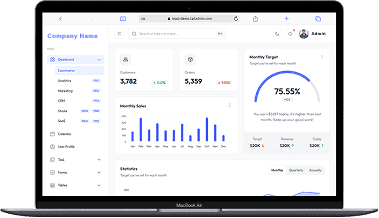
A perfect fit for someone who is getting started with a minimal budget, and looking for the premium features, UI/UX and scalability.
Training Institutes are finding Skilldeck.net quite useful, and are expediting their process & cutting down on the resources across all departments significantly. By reducing their expenses across all departments by at least 40%.
Skilldeck platform is developed by Manjunath Chowdary and team, Ex-Marketing head of Knowledgehut Upgrad, founder of KandraDigital Marketing solutions, and has built the tech and marketing strategies for various training companies.

Manjunath Chowdary
Founder & CEO, SkillDeck
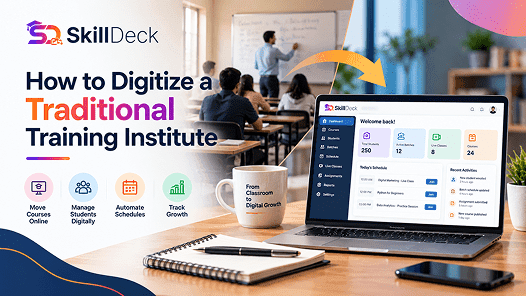
Learn how to digitize a traditional training institute using online learning, student management, automation, and digital marketing to simplify operations and support business growth.

Alex
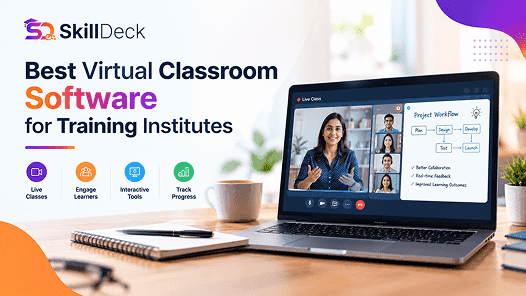
Discover how virtual classroom software helps training institutes manage live classes, trainers, learners, attendance, communication, and online learning from one platform.
Natasha
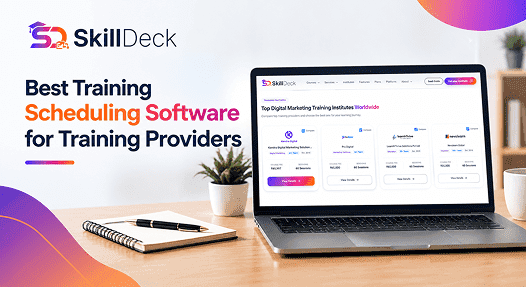
Discover how training scheduling software helps providers manage courses, batches, trainers, calendars, sessions, and learner schedules while reducing administrative work.
Alex
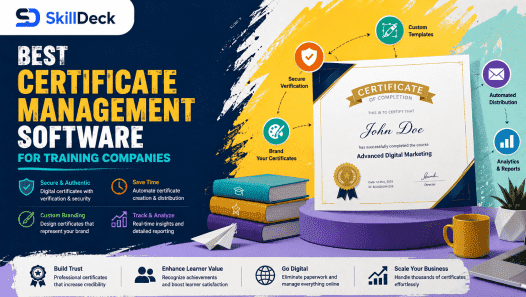
Discover how certificate management software helps training companies automate certificate creation, verification, tracking, and delivery while reducing administrative work and improving the learner experience.
Natasha
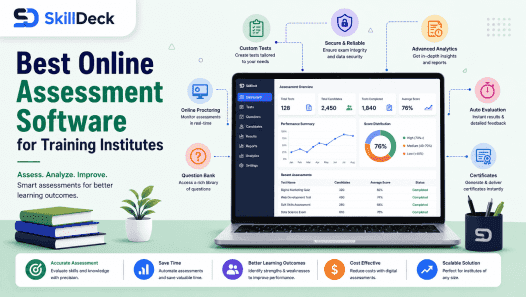
Explore how online assessment software helps training institutes create tests, evaluate learners, track performance, automate results, and improve training outcomes.
Alex
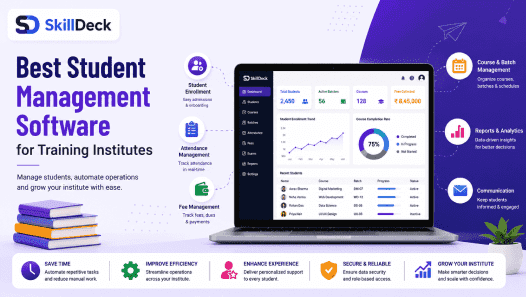
Discover how student management software can simplify enrollment, batch management, attendance, communication, assessments, and reporting while helping training institutes improve efficiency and scale.
Natasha