Discover how training scheduling software helps providers manage courses, batches, trainers, calendars, sessions, and learner schedules while reducing administrative work.

Scheduling is one of the most important operational activities for a training provider. Whether an organization conducts classroom training, virtual programs, corporate sessions, workshops, or multiple courses across locations, keeping schedules organized can quickly become challenging.
Training providers have to coordinate trainers, learners, courses, rooms, batches, dates, session timings, and availability. When this information is managed through spreadsheets, calendars, emails, and messaging applications, scheduling conflicts and administrative delays can become common.
This is where training scheduling software becomes valuable.
A dedicated scheduling platform helps training providers centralize their schedules and coordinate training activities from one digital environment. Instead of manually checking multiple calendars or communicating with different teams to confirm availability, administrators can manage schedules more efficiently.
The right scheduling software should do more than create calendar entries. It should connect training schedules with courses, batches, trainers, learners, attendance, communication, and other operational workflows.
In this guide, we will explore the key features of training scheduling software, its benefits and limitations, how to choose the right platform, and why Skilldeck can be a strong option for training providers looking to simplify their technology infrastructure.
Training scheduling software is a digital platform designed to help training providers plan, organize, and manage training sessions.
Course schedules
Batch schedules
Trainer availability
Classroom allocation
Virtual sessions
Learner schedules
Session reminders
Calendar management
Attendance
Rescheduling
Training reports
For a training provider, scheduling software acts as a central source of information for understanding what training is happening, when it is happening, who is delivering it, and who is attending.
A well-designed system can also connect scheduling with broader training management processes.
Training providers often manage several schedules simultaneously.
Multiple courses
Different batches
Several trainers
Multiple locations
Online sessions
Corporate programs
Different time zones
Changing learner availability
Managing these schedules manually becomes increasingly difficult as the business grows.
Double-booked trainers
Conflicting classroom schedules
Missed sessions
Incorrect learner notifications
Manual calendar updates
Difficulty handling rescheduling
Poor visibility across teams
Scheduling software helps centralize this information and reduce unnecessary coordination.
A centralized calendar should provide an overview of upcoming training activities.
Course sessions
Batch schedules
Trainer assignments
Locations
Session dates
Session timings
This provides teams with a single source of truth instead of relying on multiple spreadsheets and calendars.
Better visibility
Easier planning
Reduced scheduling confusion
Faster access to information
Training providers frequently operate multiple batches for the same or different courses.
Scheduling software should allow administrators to create and manage batch schedules efficiently.
Batch creation
Start and end dates
Session timings
Trainer assignment
Learner allocation
Recurring sessions
Skilldeck's training functionality specifically supports batch management, including creating batches, adding learners, assigning courses, setting schedules, and importing learners.
Trainer availability is one of the most important scheduling considerations.
Available trainers
Assigned sessions
Trainer workload
Schedule conflicts
Course expertise
Availability windows
This can make trainer allocation more efficient.
Pros
Better trainer utilization
Fewer scheduling conflicts
Easier workload planning
Cons
Complex trainer availability rules may require careful initial configuration.
Training providers should be able to connect course schedules with specific batches and trainers.
Course → Batch → Trainer → Session → Learners
This creates a connected workflow rather than treating each calendar entry as an isolated activity.
Course scheduling is particularly useful for providers conducting recurring programs.
Many training programs have sessions that repeat weekly or several times per week.
Instead of creating every session individually, scheduling software can support recurring schedules.
Monday and Wednesday classes
Weekly workshops
Monthly corporate training
Multi-week certification programs
This can significantly reduce administrative effort.
For providers conducting physical training, room availability is another important consideration.
Classrooms
Training centers
Capacity
Location
Equipment requirements
This helps prevent multiple batches from being assigned to the same physical space.
For providers operating across multiple locations, centralized scheduling becomes even more valuable.
Modern training providers may operate online or hybrid programs.
Virtual sessions
Online class timings
Meeting links
Learner notifications
Trainer assignments
This makes it easier to manage both physical and virtual training environments.
Missed sessions and late attendance can sometimes result from poor communication rather than a lack of learner interest.
Upcoming classes
Schedule changes
Session timings
Assessment dates
Training events
Automation reduces the need for administrators to send repetitive reminders manually.
Training schedules frequently change.
A trainer may become unavailable, a classroom may become occupied, or a corporate client may request a different date.
A flexible scheduling platform should allow administrators to update schedules and communicate changes efficiently.
Faster schedule updates
Better communication
Reduced confusion
Frequent last-minute changes can still create operational challenges if learners and trainers are not notified immediately.
Scheduling and attendance should ideally work together.
Once a session is scheduled, administrators should be able to record attendance for the learners assigned to that session.
Schedule → Session → Attendance → Progress
Skilldeck's training platform supports automatic attendance tracking for live sessions as well as manual attendance marking and attendance reports.
Scheduling software becomes more powerful when trainer information is connected to sessions.
Trainer profiles
Assigned courses
Availability
Sessions
Performance
Certifications
Skilldeck provides trainer-management capabilities including scheduling, trainer availability, certification tracking, and performance management.
Training providers need more than a calendar. They also need insights into their operations.
Number of sessions
Trainer utilization
Batch performance
Attendance
Course completion
Schedule changes
Training activity
These reports can help management identify operational bottlenecks.
Trainers and learners may not always access the system from a desktop.
View schedules
Check session timings
Receive reminders
Access training information
Respond to schedule changes
Mobile accessibility can improve convenience for both learners and trainers.
Automating schedules and reminders reduces the amount of repetitive work performed by administrators.
Centralized availability information makes it easier to identify overlapping trainer, classroom, or batch schedules.
Organizations can allocate trainers more effectively based on their availability and expertise.
Learners can access clear schedules and receive timely notifications about their sessions.
Training providers operating across several centers can manage schedules through a centralized system.
A structured scheduling system makes it easier to manage increasing numbers of courses, batches, trainers, and learners.
Because scheduling software directly affects daily operations, it is important to consider both its advantages and limitations.
Centralized scheduling
Reduced administrative work
Better trainer utilization
Fewer scheduling conflicts
Automated reminders
Easier batch management
Improved learner communication
Better reporting
Supports multi-location operations
Initial configuration may require time
Staff may need training
Advanced scheduling rules can be complex
Some platforms may charge extra for premium features
Poorly integrated systems can create additional data silos
These disadvantages can become particularly significant when a training provider uses several disconnected tools instead of an integrated platform.
Number of trainers
Number of courses
Number of batches
Locations
Online sessions
Corporate programs
Recurring schedules
This helps determine which capabilities are actually necessary.
Make sure the platform can manage trainer availability and assignments.
The system should allow administrators to create, schedule, and manage batches efficiently.
Prioritize automated reminders, notifications, recurring schedules, and other repetitive workflows.
LMS
CRM
Student management
Attendance
Payments
Communication
Reporting
Training schedules may contain learner, trainer, and business information. Appropriate access controls and secure infrastructure should therefore be considered.
The software should be capable of supporting growth across courses, trainers, locations, and learners.
Don't evaluate only the subscription price.
Setup
Hosting
Maintenance
Integrations
Support
Upgrades
Additional tools
One of the biggest problems with standalone scheduling software is that scheduling is only one part of running a training business.
Website
LMS
CRM
Student management
Trainer management
Marketing
Payments
Communication
Reporting
This creates multiple subscriptions and increases the technical workload.
Skilldeck takes an all-in-one approach specifically designed for training companies. Its platform brings together website, LMS, CRM, marketing, and training-business operations in one ecosystem.
Skilldeck supports training operations including batches, schedules, learners, attendance, progress tracking, reporting, and certification.
Its training platform is designed to manage programs end-to-end, helping training providers reduce fragmentation between scheduling and other learning activities.
Trainer availability is a major component of successful scheduling.
Skilldeck's trainer management functionality supports trainer profiles, scheduling, availability, certification tracking, and performance management.
This means providers can manage trainer-related information alongside their wider training operations.
Training providers handle valuable business and learner information, making security an important consideration.
Skilldeck positions itself as a secure, cloud-based platform for training companies. Its Business plan includes advanced security and permissions as part of its higher-level feature set.
Providers should always review the latest security and compliance documentation against their specific requirements.
Scheduling systems need to remain responsive when managing large numbers of sessions, trainers, learners, and courses.
Skilldeck positions itself as a high-performing platform built specifically for training businesses, with its website highlighting a 99.9% uptime figure and scalability for growing training companies.
Scheduling alone does not generate business.
Training providers also need to market courses, capture leads, manage admissions, and maintain a professional online presence.
Skilldeck combines its training capabilities with website, CRM, marketplace, and marketing functionality. This helps providers connect their operational schedules with broader student acquisition and business growth activities.
A training company may begin with a handful of courses and gradually expand into multiple programs, trainers, locations, and learner groups.
Skilldeck is built specifically for training companies and supports live classes, virtual training, multiple geographies, and multiple courses.
Its current Business plan also lists unlimited seats, locations, LMS courses, active students, instructors, and certificates, while other plans provide lower resource limits for smaller organizations.
A major disadvantage of building a training technology stack independently is the amount of technical responsibility involved.
Hosting
Website infrastructure
LMS
CRM
Integrations
Software updates
Security
Performance
Marketing technology
Skilldeck is designed to reduce this fragmentation by replacing multiple tools with one training-focused platform. Its website explicitly positions the platform around reducing technology headaches and helping training companies focus on their core operations.
Course quality
Trainer development
Learner experience
Marketing
Business development
Training delivery
instead of carrying the entire technology burden internally.
Managing multiple subscriptions can quickly become expensive.
Skilldeck currently offers a 14-day free trial with no credit card requirement, and its pricing page lists Starter, Growth, and Business plans. The platform also states that there are no setup fees, with free migration and 24/7 support highlighted on the pricing page.
The actual cost advantage depends on the provider's existing technology stack and resource requirements, but consolidating multiple systems can reduce software and maintenance overhead.
Area | Manual Scheduling | Scheduling Software |
Calendar Management | Spreadsheets/manual calendars | Centralized calendar |
Trainer Allocation | Manual coordination | Digital assignment |
Batch Scheduling | Manual | Centralized |
Reminders | Manual messages | Automated |
Schedule Changes | Multiple updates | Centralized changes |
Attendance | Separate process | Can be connected |
Reporting | Time-consuming | Automated |
Scalability | Difficult | Easier |
Conflict Management | Manual checking | Better visibility |
Administration | High workload | Reduced workload |
The best training scheduling software for training providers should do more than place sessions on a calendar. It should connect courses, batches, trainers, learners, attendance, communication, reporting, and broader business operations.
Manual scheduling may work when a provider has only a few courses and trainers. However, its disadvantages become increasingly visible as the organization grows. Spreadsheet-based schedules can create conflicts, duplicate work, communication gaps, outdated information, and unnecessary administrative effort.
Standalone scheduling software can solve some of these problems, but it can introduce another challenge: technology fragmentation.
A provider may end up using one platform for scheduling, another for LMS, another for CRM, another for website management, and additional tools for marketing and communication. The combined subscription costs, integrations, maintenance, and technical responsibilities can outweigh the apparent simplicity of individual tools.
This is where Skilldeck provides a stronger alternative.
Skilldeck is built specifically for training companies and combines training management with website, LMS, CRM, marketing, automation, and other business capabilities.
For training providers, this means scheduling does not have to operate as an isolated function. It can exist as part of a broader training-business ecosystem.
Skilldeck provides capabilities around batch management, scheduling, attendance, progress tracking, trainer management, reporting, and certification, while also supporting the marketing and technology requirements needed to grow a training business.
The biggest advantage is the reduction in technical burden. Instead of spending heavily on building, integrating, hosting, maintaining, and optimizing multiple systems, training providers can leave much of the technology responsibility to Skilldeck.
That allows providers to focus on what actually drives their business: delivering quality training, improving learner outcomes, marketing their programs, and scaling operations.
For organizations looking for a secure, performance-focused, scalable, marketable, and cost-efficient platform rather than another isolated scheduling tool, Skilldeck is a strong option to consider.
Skilldeck replaces 10+ software tools with one integrated, automated platform.
Skilldeck is a fully automated, budget-friendly plug-and-play solution designed for training institutes. It offers every essential feature needed to run and scale a training business, helping organizations accelerate growth with minimal effort and cost.
at a Fraction of the Cost
If you're seeking powerful tech and marketing automation that delivers results, Skilldeck is your go-to solution. Specifically built for training institutes, it offers everything you need in one place — from lead generation to operations — driving growth efficiently and affordably.
...and much more, all designed to scale your business effortlessly.
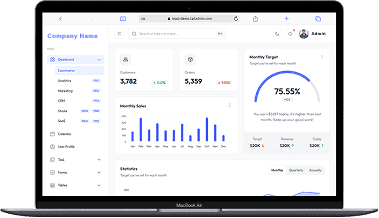
A perfect fit for someone who is getting started with a minimal budget, and looking for the premium features, UI/UX and scalability.
Training Institutes are finding Skilldeck.net quite useful, and are expediting their process & cutting down on the resources across all departments significantly. By reducing their expenses across all departments by at least 40%.
Skilldeck platform is developed by Manjunath Chowdary and team, Ex-Marketing head of Knowledgehut Upgrad, founder of KandraDigital Marketing solutions, and has built the tech and marketing strategies for various training companies.

Manjunath Chowdary
Founder & CEO, SkillDeck
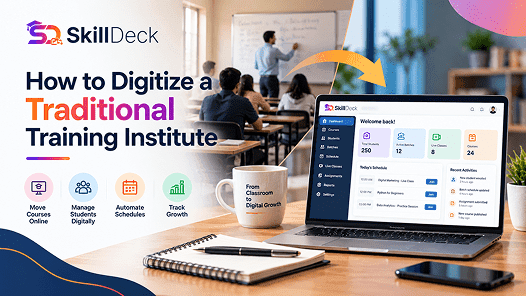
Learn how to digitize a traditional training institute using online learning, student management, automation, and digital marketing to simplify operations and support business growth.
Alex

Discover how virtual classroom software helps training institutes manage live classes, trainers, learners, attendance, communication, and online learning from one platform.

Natasha
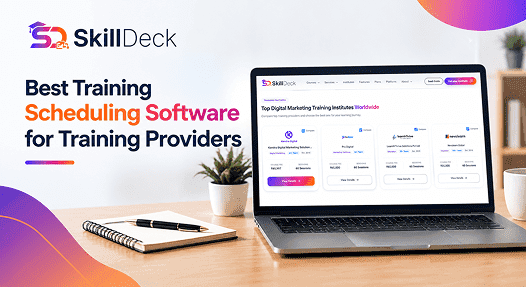
Discover how training scheduling software helps providers manage courses, batches, trainers, calendars, sessions, and learner schedules while reducing administrative work.
Alex

Discover how certificate management software helps training companies automate certificate creation, verification, tracking, and delivery while reducing administrative work and improving the learner experience.
Natasha
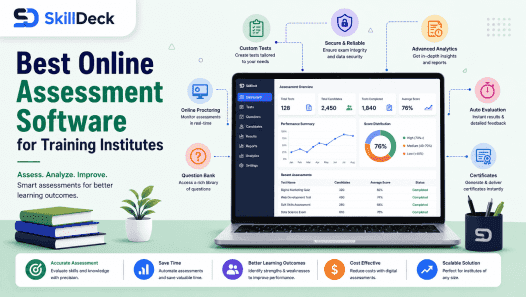
Explore how online assessment software helps training institutes create tests, evaluate learners, track performance, automate results, and improve training outcomes.
Alex
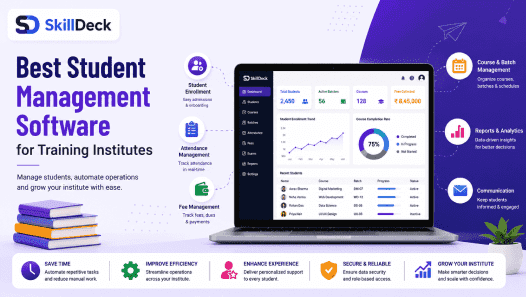
Discover how student management software can simplify enrollment, batch management, attendance, communication, assessments, and reporting while helping training institutes improve efficiency and scale.
Natasha