Student enrollment is more than converting an enquiry into a registration. Between the initial application and confirmed enrollment, education and training businesses may need to review student information, verify eligibility, manage course preferences, coordinate payments, confirm seats, communicate admission decisions, and complete onboarding activities.
When these tasks are managed manually through spreadsheets, emails, paper forms, messaging applications, and separate admission systems, maintaining an accurate enrollment process can become challenging. Students may receive delayed updates, admission teams may struggle to identify pending applications, and administrators may have limited visibility into the overall enrollment process.
This is where CRM for student enrollment can provide value.
A student enrollment CRM creates a centralized environment for managing prospective and confirmed students throughout the admission and enrollment journey. It can help institutions organize applications, monitor enrollment stages, maintain student information, coordinate admission activities, and provide teams with better visibility into enrollment progress.
For coaching institutes, training companies, academies, EdTech businesses, and other education providers, a structured enrollment CRM can help turn admission operations into a more organized and trackable process.
What Is CRM for Student Enrollment?
CRM for student enrollment is a customer relationship management system designed to help education businesses manage students and prospects during the admission and enrollment process.
While a conventional CRM may focus primarily on sales opportunities, an enrollment-focused CRM can be configured around education-specific activities.
It can help teams manage information such as:
- Student details
- Course preferences
- Applications
- Admission stages
- Eligibility information
- Enrollment status
- Payment progress
- Batch preferences
- Communication history
- Admission documents
- Enrollment dates
- Onboarding activities
The system provides a centralized view of where each student stands in the enrollment journey.
A typical enrollment workflow could look like:
Enquiry → Application Started → Application Submitted → Review → Approved → Payment Pending → Enrollment Confirmed → Onboarding
The exact stages can be customized according to the institution's admission process.
Why Do Education Businesses Need CRM for Student Enrollment?
Student enrollment often involves multiple teams and multiple activities.
An admissions executive may collect an application, another employee may verify information, a finance team may handle payment confirmation, and an academic team may assist with course or batch allocation.
When these activities are handled independently, important information can become fragmented.
Common enrollment challenges include:
- Applications stored across different systems
- Difficulty identifying incomplete applications
- Delays in admission decisions
- Unclear enrollment status
- Repeated requests for student information
- Difficulty coordinating payment confirmation
- Limited visibility into available seats
- Manual enrollment reporting
- Poor coordination between admission and academic teams
- Delayed onboarding after confirmation
A CRM for student enrollment can bring these activities into a structured workflow.
Instead of relying on multiple spreadsheets and individual updates, teams can use centralized student records and enrollment stages to understand what has been completed and what still requires attention.
Key Features of CRM for Student Enrollment
1. Student Application Management
A CRM can help organizations organize applications received from students.
Applications can be linked with the relevant student profile so admission teams can quickly access information without searching through multiple records.
This can make it easier to distinguish between new applications, submitted applications, applications under review, and completed enrollments.
2. Enrollment Pipeline
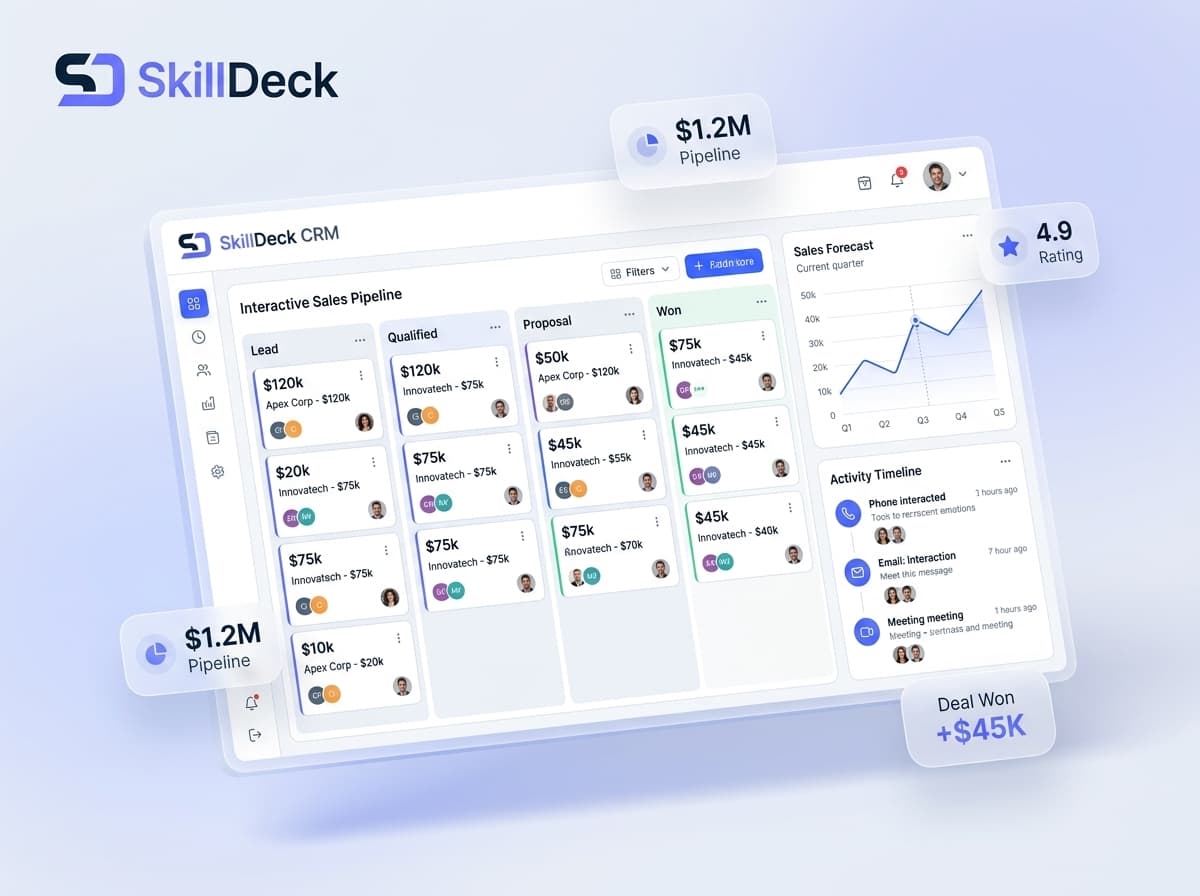
An enrollment pipeline gives administrators a structured view of student progress.
For example:
Application Received → Under Review → Approved → Payment Pending → Enrolled
Each stage represents a specific point in the admission journey.
This makes it easier for teams to identify students who are waiting for approval, payment, documentation, or another enrollment action.
3. Student Profile Management
A centralized student profile can contain the information required throughout the admission process.
Depending on the organization's requirements, this may include:
- Contact information
- Course selected
- Batch preference
- Application details
- Admission status
- Communication history
- Enrollment information
- Payment status
- Assigned counsellor or administrator
- Onboarding status
Having this information in one place reduces the need to search across multiple records.
4. Course and Program Selection
Students may have questions or preferences regarding different courses, programs, learning formats, or batches.
A CRM can associate each student with their selected program and maintain relevant enrollment information.
This allows admission teams to understand which program a student has chosen and helps reduce confusion when an organization offers multiple courses.
5. Application Status Tracking
Not every application moves forward at the same pace.
Some students may complete the application immediately, while others may leave information incomplete or require additional verification.
CRM software can provide clear application statuses so teams can identify:
- New applications
- Incomplete applications
- Submitted applications
- Applications under review
- Approved applications
- Rejected applications
- Deferred applications
- Enrolled students
This gives admission teams a more structured way to manage application progress.
6. Eligibility and Admission Review
Some programs have specific admission requirements.
A CRM can help organizations record relevant eligibility information and maintain the status of an admission review.
Instead of relying on separate notes, administrators can keep the review status associated with the student's application.
This can be particularly useful when admission involves multiple steps before final approval.
7. Document Status Tracking
Enrollment may require students to provide specific information or documents.
A CRM can help teams monitor whether required enrollment information has been received and whether additional action is needed.
For example, an application may be marked as:
Information Required → Submitted → Under Verification → Completed
The exact process can vary between institutions.
Centralized status tracking can help reduce unnecessary back-and-forth between students and admission teams.
8. Payment Status Coordination
Payment is often an important step between admission approval and confirmed enrollment.
A CRM can help teams identify students according to their payment status.
Possible categories may include:
- Payment Pending
- Payment Initiated
- Payment Confirmed
- Partially Paid
- Payment Issue
- Enrollment Confirmed
When payment information is connected with the enrollment workflow, admission teams can more easily identify which students are ready for the next stage.
9. Batch Allocation
Training institutes and coaching businesses frequently operate multiple batches.
Students may have different preferences based on timing, learning mode, instructor, or program availability.
A CRM can associate students with their selected or assigned batch.
This can help admission and academic teams coordinate enrollment information before the student's learning journey begins.
10. Enrollment Confirmation
Once admission requirements are completed, the system can help teams update the student's enrollment status.
A confirmed enrollment record can provide a clear indication that the student has successfully completed the required admission process.
This can also create a transition point between admissions and subsequent student-management or learning activities.
11. Student Communication
Students may need updates throughout the enrollment journey.
Communication can cover:
- Application confirmation
- Missing information
- Admission decisions
- Payment instructions
- Enrollment confirmation
- Batch information
- Orientation details
- Onboarding instructions
Keeping relevant communication connected to the student record can help admission teams maintain context.
12. Enrollment Reminders
Students may delay completing applications, submitting required information, making payments, or confirming batch preferences.
CRM reminders can help admission teams identify pending actions.
Rather than manually checking every application, administrators can use scheduled activities and reminders to manage outstanding enrollment tasks.
13. Enrollment Onboarding
Enrollment does not necessarily end when payment is completed.
Students may still need information about their batch, learning platform, orientation session, schedule, instructor, or other next steps.
A CRM can help teams track onboarding activities after enrollment confirmation.
This creates a smoother transition from the admission process into the learning experience.
14. Enrollment Reports and Analytics
Management needs visibility into enrollment performance.
CRM reporting can help organizations understand:
- Applications received
- Applications approved
- Applications pending
- Enrollment confirmations
- Enrollment by course
- Enrollment by batch
- Payment status
- Application completion
- Enrollment conversion
- Pending onboarding activities
These insights can support better planning and resource allocation.
Benefits of CRM for Student Enrollment
Creates a Centralized Enrollment Record
A CRM can bring application, student, admission, and enrollment information into one environment.
This reduces the need for teams to search through separate records when handling student requests.
Improves Admission Visibility
Admission teams can quickly identify which applications are new, pending, approved, or completed.
This can make it easier to manage enrollment workloads.
Reduces Manual Coordination
Instead of maintaining separate lists for applications, payments, batches, and onboarding, teams can connect these activities through the enrollment workflow.
Helps Identify Incomplete Applications
Clear application statuses allow administrators to identify students who have started the process but have not completed the required steps.
Supports Faster Decision-Making
When student information and application status are readily available, authorized teams can spend less time searching for information.
Improves Student Communication
Centralized student records provide context for communicating application updates, payment requirements, enrollment confirmation, and onboarding information.
Simplifies Batch Planning
Connecting students with courses and batches can give academic and administrative teams better visibility into upcoming enrollment requirements.
Provides Better Enrollment Reporting
Centralized enrollment information allows management to analyze application and enrollment activity without depending entirely on manually prepared reports.
Challenges and Limitations
Data Accuracy
Enrollment information must remain accurate. Incorrect course selections, outdated contact information, or inaccurate payment statuses can affect the admission process.
Process Configuration
Every institution may have a different enrollment workflow. The CRM may require customization to reflect specific admission stages, approval processes, and onboarding requirements.
Team Coordination
Enrollment often involves admissions, finance, academic, and support teams. Everyone needs to work with consistent information for the system to provide reliable visibility.
Student Data Management
Education businesses handle significant amounts of student information. Organizations should establish appropriate access controls, data-handling practices, and internal procedures.
Integration Requirements
The CRM may need to connect with websites, application forms, payment systems, LMS platforms, communication tools, and other systems.
Staff Adoption
A CRM can only provide useful enrollment visibility when teams consistently update application statuses, student information, payment progress, and other relevant activities.
How to Choose the Right CRM for Student Enrollment
1. Map Your Admission Process
Start by documenting the complete journey from application to confirmed enrollment.
Identify every stage, approval, payment activity, and onboarding requirement.
The CRM should be able to reflect this process rather than forcing the organization into an unsuitable workflow.
2. Check Application Management
Review how the platform captures applications and connects them with student records.
The process should minimize duplicate data entry wherever possible.
3. Evaluate Enrollment Stages
Check whether you can create and customize stages according to your admission process.
Different courses or programs may require different workflows.
4. Review Student Information Management
The platform should provide enough flexibility to store the information your admission team actually needs without making student profiles unnecessarily complicated.
5. Examine Payment Coordination
If payment is part of enrollment, check whether the CRM can track relevant payment stages or integrate with the organization's payment systems.
6. Consider Batch and Course Management
Training businesses should evaluate whether the platform can associate students with courses, programs, and batches.
7. Check Communication and Reminders
Look for features that support enrollment updates, reminders, pending-action notifications, and onboarding communication.
8. Evaluate Reporting
Management should be able to understand application volumes, enrollment progress, course demand, pending actions, and other important enrollment metrics.
9. Review Integration Capabilities
Consider how the CRM will connect with your website, forms, LMS, payment systems, marketing tools, and other operational software.
10. Consider Future Growth
The system should remain practical as the organization adds students, courses, batches, staff members, and new learning programs.
Why Skilldeck Can Be a Strong Choice for Student Enrollment
Student enrollment is closely connected with several other functions within an education or training business.
A prospective student may first discover an institute through its website or marketing campaign, submit an enquiry, interact with a counsellor, complete an application, enroll in a course, and eventually begin learning through an LMS.
Managing each part through completely separate platforms can increase operational complexity.
Skilldeck takes an integrated approach by bringing together website, CRM, LMS, marketing, and other capabilities for training businesses.
Connecting Enrollment With the Student Journey
An enrollment CRM becomes more valuable when information does not stop at admission.
For training businesses, the student's journey can continue from enquiry to enrollment and then into course participation and learning operations.
Skilldeck's broader CRM and LMS ecosystem can support this connected approach, allowing organizations to consider customer acquisition, enrollment, and learning within a wider platform environment.
Website and Enrollment Connection
Many students begin the enrollment process through an organization's website.
Website forms and other digital interactions can generate enquiries that eventually become applications and confirmed enrollments.
Having website and CRM capabilities within a broader platform can reduce the need to move information manually between separate systems.
Marketing and Enrollment Visibility
Marketing generates interest, but education businesses ultimately need to understand what happens after a prospect responds.
Connecting marketing and CRM activities can help businesses create a clearer relationship between campaigns, enquiries, applications, and enrollments.
Skilldeck combines marketing, website, and CRM capabilities as part of its broader platform approach.
CRM and LMS Connection
Enrollment is the bridge between acquiring a student and delivering the learning experience.
Once a student is enrolled, the relationship continues through courses, batches, learning activities, communication, and support.
Skilldeck's combination of CRM and LMS capabilities can support a more connected transition from enrollment into learning operations.
Automation Across Enrollment Workflows
Enrollment teams handle many repetitive activities, including application updates, reminders, status changes, communication, and onboarding coordination.
Automation can reduce some of this administrative work and allow teams to focus more on student-facing activities.
Reduced Technology Complexity
Using separate systems for website management, CRM, LMS, marketing, and other business processes can create additional integration and maintenance requirements.
Skilldeck's integrated platform approach is designed to reduce this technology burden by bringing key training-business functions together.
Supporting Growing Enrollment Operations
As an institute or EdTech business grows, enrollment volumes can increase significantly.
More courses, batches, students, admission staff, and learning programs can make manual enrollment management increasingly difficult.
A centralized platform can provide a more organized foundation for handling these growing requirements.
Manual Enrollment Management vs. CRM-Based Enrollment
Area | Manual Enrollment Management | CRM-Based Enrollment |
|---|---|---|
Applications | Separate records | Centralized applications |
Student Information | Scattered data | Unified student profiles |
Admission Status | Manual updates | Structured stages |
Course Selection | Independent records | Connected to student profile |
Payment Status | Separate tracking | Enrollment-linked status |
Batch Allocation | Manual lists | Centralized assignment |
Pending Actions | Difficult to identify | Trackable activities |
Communication | Multiple channels | Organized history |
Onboarding | Separate checklists | Workflow-based |
Reporting | Manual compilation | Centralized reporting |
Final Verdict
CRM for student enrollment helps education and training businesses bring structure to one of the most important stages of the student journey.
Enrollment involves more than collecting a student's name and confirming a payment. Applications need to be reviewed, information may need to be completed, admission decisions need to be communicated, payments need to be coordinated, courses and batches need to be assigned, and students may require onboarding information before learning begins.
A dedicated enrollment CRM can bring these activities into a centralized workflow.
The right platform should provide flexible enrollment stages, student profiles, application tracking, course and batch association, payment coordination, communication management, reminders, onboarding workflows, and reporting.
For education and training businesses, it is also important to consider what happens before and after enrollment. Website and marketing activities generate prospective students, CRM supports the admission journey, and LMS capabilities can support learning after enrollment.
Skilldeck provides an integrated approach by combining CRM, LMS, website, marketing, and other training-business capabilities within a broader ecosystem.
Ultimately, CRM for student enrollment is about creating a smoother connection between application, admission, confirmation, and onboarding. By centralizing enrollment information and making each stage easier to track, education businesses can improve administrative visibility, coordinate teams more effectively, and provide students with a more organized enrollment experience.