Learn how to improve learner engagement in online courses through interactive lessons, practical activities, clear learning goals, timely feedback, and progress monitoring that encourages active participation.

Learner engagement is essential to an effective online course. When learners actively participate, practise new skills, ask questions, and apply what they learn, they have more opportunities to understand and retain course material.
However, online learners can lose interest when lessons are too long, activities are repetitive, instructions are unclear, or feedback is limited. Simply uploading videos and reading materials does not guarantee meaningful participation.
Improving engagement requires a course structure that encourages learners to participate throughout their learning journey. The following strategies focus on making online courses more interactive, relevant, accessible, and easier to follow.
Learners are more likely to engage with a course when they understand what they are expected to learn and why it matters.
At the beginning of a course or module, explain the specific skills or knowledge learners should gain. Keep the goals clear and connected to the lesson content.
For example, instead of stating that a module covers digital marketing analytics, explain that learners will be able to interpret campaign performance data and identify areas for improvement.
Clear learning goals help learners understand the purpose of each activity and recognize their progress.
Long videos and information-heavy lessons can make it difficult for learners to maintain attention, especially when they study independently.
Divide lessons into smaller sections, with each section covering one main concept or task.
Focus each lesson on a specific learning objective.
Remove repetitive explanations and unnecessary information.
Use headings to separate different concepts.
Include a short recap of important points.
Add a relevant activity after a concept that learners need to practise.
Short lessons should still explain the subject properly. The aim is to make content easier to understand and navigate, not to divide it into small pieces without a clear learning sequence.
Passive learning gives learners limited opportunities to check their understanding. Interactive activities encourage them to think about the material and apply what they have learned.
Short quizzes after important concepts
Questions that require learners to apply a principle
Interactive demonstrations
Scenario-based exercises
Drag-and-drop activities where appropriate
Practical assignments related to the lesson
For example, in an online Excel course, learners can practise creating a formula immediately after watching a demonstration. In a customer service course, they can choose how to respond to a realistic customer situation.
Choose activities that reinforce the learning objective instead of adding interaction merely for entertainment.
Learners may lose interest when they cannot see how course concepts apply outside the lesson.
Connect explanations to situations that learners may encounter in their studies, work, or everyday tasks. Use examples that match the subject and the learners' experience level.
Demonstrating a task step by step.
Providing realistic case studies.
Assigning small projects.
Asking learners to solve a problem using the lesson's concepts.
Showing examples of correct and incorrect approaches.
For a programming course, learners might write a small function after learning a new concept. For a marketing course, they might analyse a sample campaign and suggest improvements.
Practical tasks give learners an opportunity to use their knowledge rather than simply recognize information in a video.
Online learning can feel isolating when learners have little opportunity to interact with instructors or other participants. Opportunities for discussion help learners clarify ideas and learn from different perspectives.
Live question-and-answer sessions
Discussion forums
Topic-specific discussion prompts
Group assignments
Peer reviews
Instructor feedback on submitted work
Give learners a clear reason to participate. Instead of asking a broad question such as “What did you learn?”, ask them to explain how they would apply a specific concept to a practical situation.
Instructors should respond to relevant questions and guide discussions when learners misunderstand a concept. Discussion activities work best when they contribute directly to the course objectives.
Feedback helps learners understand whether they are progressing correctly and what they need to improve.
Delayed or unclear feedback can leave learners uncertain about their performance. Provide feedback as close to the learning activity as practical.
Identify what the learner did correctly.
Explain the specific mistake or knowledge gap.
Suggest how to improve.
Connect the correction to the learning objective.
Give learners an opportunity to try again when appropriate.
For quizzes, provide explanations for incorrect answers rather than displaying only a score. For assignments, highlight specific strengths and areas for improvement.
Feedback should help learners take their next step, not simply tell them whether their answer was right or wrong.
Learners in self-paced courses may need help staying focused, while participants in live online classes may disengage when instructors provide limited interaction.
Introducing modules and explaining their purpose.
Responding to questions within a reasonable timeframe.
Providing clarification when learners struggle.
Sharing relevant announcements.
Offering guidance on assignments.
Acknowledging thoughtful participation.
For self-paced courses, brief instructor notes, recorded explanations, and scheduled question sessions can provide support without requiring every learner to attend at the same time.
The goal is to make learners feel that guidance is available when they need it.
Learners may find it difficult to stay motivated when they cannot see how much of a course they have completed or what remains.
Use clear progress indicators and milestones to make the learning journey visible.
Module completion status
Lesson progress indicators
Assessment results
Completed assignments
Clear next steps
Milestones for longer courses
For example, after completing a module and passing its assessment, learners should be able to identify the next lesson or task.
Progress indicators should reflect meaningful learning activities. Watching a video or opening a lesson may indicate participation, but it does not necessarily prove that the learner understands the content.
Regular, low-stakes assessments help learners check their understanding without making every activity feel like a high-pressure examination.
Use short quizzes, practice questions, knowledge checks, or brief assignments throughout the course.
These assessments can help learners identify concepts they need to revisit before progressing. They also provide instructors with information about common misunderstandings.
Keep assessments aligned with the lessons. If a module teaches a practical skill, include a task that tests the application of that skill rather than relying entirely on recall questions.
Online learners may differ in their prior knowledge, available study time, accessibility needs, and familiarity with digital tools. A course that assumes everyone learns at the same pace can create unnecessary barriers.
Providing clear instructions for each activity.
Using readable text and consistent layouts.
Adding captions or transcripts to video lessons where appropriate.
Offering downloadable resources when useful.
Providing examples before more difficult tasks.
Allowing reasonable flexibility in self-paced learning.
Ensuring that learners can navigate the course without confusion.
Use different content formats when they improve understanding. Videos, written explanations, demonstrations, and practice tasks can complement one another, but adding more formats is not automatically better.
Gamification introduces elements such as challenges, points, badges, or milestones to encourage participation. Used appropriately, these elements can make progress more visible and give learners a clear short-term goal.
A challenge based on the current module
A badge for completing a meaningful learning milestone
A progress-based achievement
A timed practice activity where speed is relevant
Optional challenges for learners who want more practice
Avoid using points and leaderboards as substitutes for useful learning activities. Excessive competition can discourage learners who are still developing their skills.
Course creators should review engagement data to identify where learners participate actively and where they struggle.
Lesson completion rates
Time spent on learning activities
Quiz attempts and results
Assignment submissions
Discussion participation
Repeated exits from particular lessons
Learner feedback
Interpret these indicators carefully. Time spent on a lesson does not automatically indicate attention, and a completed video does not prove understanding.
If many learners stop at the same lesson, review its length, clarity, difficulty, and relevance. If assessment results are consistently weak, check whether the lesson provides enough explanation and practice.
A learning management system (LMS) can support engagement by organizing lessons, assessments, progress records, and learner activity in one place.
Organize content into structured modules.
Add quizzes and assessments.
Track lesson-level progress.
Review assessment results.
Identify incomplete learning activities.
Provide learners with a clearer view of their progress.
Skilldeck's LMS includes course-building tools, quizzes, graded assessments, learner records, and lesson-level progress tracking. These capabilities can help course providers organize learning activities and review learner participation.
An LMS supports the delivery and monitoring of engagement strategies, but the quality of the course, the relevance of its activities, and the support provided to learners remain essential.
Overloading lessons: Too much information in one session makes learning harder to follow.
Relying only on videos: Learners need opportunities to practise and check their understanding.
Giving delayed feedback: Learners may continue making the same mistakes without timely guidance.
Using irrelevant activities: Activities that do not support the learning objectives waste learners' time.
Ignoring learner feedback: Repeated difficulties may remain unresolved if feedback is not reviewed.
Tracking completion alone: Course access and completion figures do not fully measure understanding or participation.
Improving learner engagement in online courses requires more than attractive content or a learning platform. Learners need clear goals, manageable lessons, relevant activities, timely feedback, opportunities to interact, and visible progress.
Start by reviewing where learners lose interest or struggle to continue. Improve the lessons and activities at those points, provide support when needed, and use engagement data to evaluate the results.
An LMS such as Skilldeck can help organize course content, assessments, and progress tracking. However, sustained engagement depends on combining these tools with well-designed learning experiences that give learners a clear reason to participate and opportunities to apply what they learn.
Skilldeck replaces 10+ software tools with one integrated, automated platform.
Skilldeck is a fully automated, budget-friendly plug-and-play solution designed for training institutes. It offers every essential feature needed to run and scale a training business, helping organizations accelerate growth with minimal effort and cost.
at a Fraction of the Cost
If you're seeking powerful tech and marketing automation that delivers results, Skilldeck is your go-to solution. Specifically built for training institutes, it offers everything you need in one place — from lead generation to operations — driving growth efficiently and affordably.
...and much more, all designed to scale your business effortlessly.
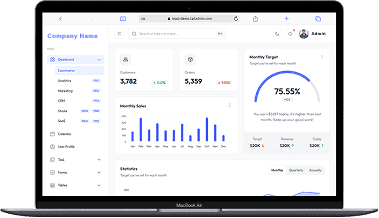
A perfect fit for someone who is getting started with a minimal budget, and looking for the premium features, UI/UX and scalability.
Training Institutes are finding Skilldeck.net quite useful, and are expediting their process & cutting down on the resources across all departments significantly. By reducing their expenses across all departments by at least 40%.
Skilldeck platform is developed by Manjunath Chowdary and team, Ex-Marketing head of Knowledgehut Upgrad, founder of KandraDigital Marketing solutions, and has built the tech and marketing strategies for various training companies.

Manjunath Chowdary
Founder & CEO, SkillDeck

Learn how to improve learner engagement in online courses through interactive lessons, practical activities, clear learning goals, timely feedback, and progress monitoring that encourages active participation.
Alex

Learn how to measure corporate training ROI by defining objectives, calculating total costs, tracking business outcomes, and evaluating the financial value generated by employee training.
Alex

Learn practical ways to improve student retention in training institutes through structured onboarding, engaging classes, regular progress monitoring, responsive support, and consistent communication.

Natasha
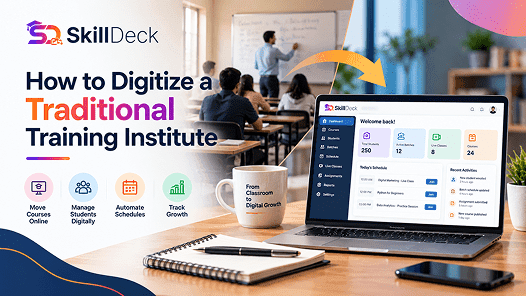
Learn how to digitize a traditional training institute using online learning, student management, automation, and digital marketing to simplify operations and support business growth.
Alex
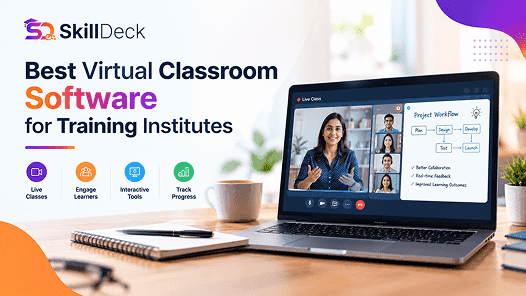
Discover how virtual classroom software helps training institutes manage live classes, trainers, learners, attendance, communication, and online learning from one platform.
Natasha
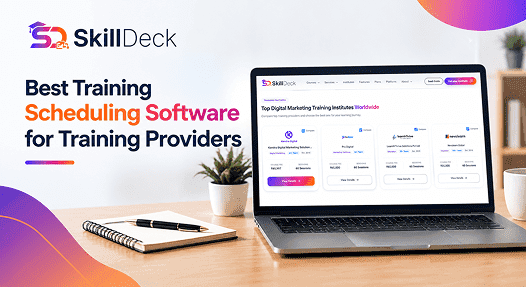
Discover how training scheduling software helps providers manage courses, batches, trainers, calendars, sessions, and learner schedules while reducing administrative work.
Alex