Managing classes becomes increasingly difficult when training companies rely on spreadsheets, messaging apps, paper attendance sheets, separate calendars, and manually maintained learner records. As the number of batches, instructors, courses, and learners grows, even simple scheduling changes can create confusion across the organization. Class management software brings these activities into a centralized platform. Training companies can organize sessions, manage batches, assign instructors, record attendance, maintain learner information, and monitor class activities without depending on disconnected systems. For coaching institutes, professional training providers, academies, skill development companies, and EdTech businesses, the objective is not simply to create a digital timetable. A useful class management system should connect scheduling with the people, batches, courses, and learner activities involved in delivering training.
What Is Class Management Software?
Class management software is a centralized system used to plan, organize, and manage day-to-day classes and training sessions. Instead of maintaining separate records for schedules, trainers, learners, and attendance, administrators can manage these elements through a connected environment. A typical class management platform can help teams handle: Class and session scheduling Batch creation and management Instructor allocation Learner assignment Attendance tracking Course and class information Classroom or online session details Schedule changes Learner communication Class-related records Operational reports This creates a clearer connection between what has been scheduled, who is responsible for the session, and which learners are expected to participate.
Why Training Companies Need Better Class Coordination
A training business can have many moving parts operating at the same time. One instructor may handle several batches, while learners may attend different courses or schedules. Some programs may be conducted online, while others take place in physical classrooms. Manual coordination can make these activities difficult to manage. A change in an instructor's availability, for example, may require administrators to update the timetable, inform learners, find a replacement trainer, and ensure that attendance records remain accurate. A centralized class management system gives administrators a common place to manage these details. It can help reduce situations such as: Overlapping sessions Incorrect batch assignments Missing attendance records Conflicting instructor schedules Outdated learner lists Unclear classroom allocations Missed schedule changes Repeated manual data entry The result is a more organized approach to daily training delivery.
Build a Structured Class Schedule
Scheduling is at the heart of class management. Training companies may need to plan classes according to course duration, batch availability, instructor schedules, classroom capacity, learner preferences, and delivery format. Class management software allows administrators to create structured schedules rather than maintaining multiple calendars. A session can be associated with the relevant course, batch, instructor, date, time, and delivery method. This gives administrators a clearer picture of upcoming classes and makes it easier to identify scheduling conflicts before they affect learners.
Manage Multiple Batches from One Platform
Training companies frequently run the same course across several batches. For example, a Python training provider might operate a weekday morning batch, weekday evening batch, and weekend batch. Each group can have different learners, instructors, session timings, and attendance records. Managing these groups independently through spreadsheets can quickly become complicated. Class management software can organize batches separately while keeping them connected to the relevant course or training program. Administrators can see which learners belong to each batch, who is teaching it, when sessions are scheduled, and what activities have already taken place. This becomes especially valuable when an institute manages dozens or hundreds of active batches.
Assign the Right Instructor to Each Session
Instructor availability has a direct impact on class scheduling. Training organizations may have full-time trainers, part-time instructors, guest faculty, subject specialists, and external professionals. Their availability can vary depending on the course and schedule. Class management software can help administrators associate instructors with specific classes and batches. This provides better visibility into trainer assignments and reduces the possibility of assigning the same instructor to conflicting sessions. It can also help organizations understand which trainers are handling particular programs, batches, or subjects.
Keep Learner Information Connected to Classes
A class schedule becomes more useful when it is connected to the learners expected to attend. Instead of maintaining one list for class schedules and another for learner information, a centralized platform can associate learners with their respective batches and programs. Administrators can then understand: Which learners are enrolled in a batch Which course they are attending Which sessions they are assigned to Their attendance history Their class participation Their current training status This provides a more complete view of the learner's classroom journey.
Make Attendance Part of Class Management
Attendance should not be treated as an isolated administrative task. When attendance is connected to classes and batches, training teams can understand participation in context. Instructors or administrators can record attendance for a specific session, while the system maintains the learner's attendance history. This can make it easier to identify: Frequent absences Low participation Attendance trends Batch-level attendance patterns Learners requiring attention Sessions with unusual attendance For longer programs, maintaining this history can also help administrators understand whether learners are consistently participating throughout the course.
Handle Online and Offline Classes
Modern training businesses often use a combination of delivery formats. One program may be conducted completely online, while another uses physical classrooms. Some organizations use blended learning, where learners attend live sessions while also accessing online course material. Class management software should therefore support different class formats. For online sessions, administrators may maintain virtual meeting details and session schedules. For physical classes, they may need to organize classrooms, locations, or other venue information. For blended programs, both types of activities can be coordinated as part of the same training structure.
Make Schedule Changes Easier to Manage
Classes do not always happen exactly as originally planned. A trainer may become unavailable. A public holiday may require rescheduling. A classroom may become unavailable. An online session may need to move to a different time. When schedules are maintained manually, changing one session can require updates in multiple places. A centralized class management system provides a more organized way to update session information. Once a change is made, administrators have a clearer source of information for coordinating the updated schedule with instructors and learners. This is particularly useful for organizations running many simultaneous programs.
Improve Communication Around Classes
Scheduling information has little value if learners and instructors do not know about it. Class management software can support communication around upcoming sessions, schedule changes, attendance requirements, and other class-related activities. Training teams can use structured communication to keep learners informed about: Upcoming classes Session timings Schedule changes Trainer information Attendance expectations Batch activities Important announcements This reduces the dependence on individual staff members to manually communicate every change through different channels.
Give Administrators Better Operational Visibility
One of the biggest advantages of centralized class management is visibility. Instead of asking multiple people for updates, administrators can view information about classes, batches, instructors, and learners from one environment. For example, an operations manager may want to know how many sessions are scheduled today, which instructors are assigned, which batches are active, and whether attendance has been recorded. A centralized system makes this information easier to organize. This can help management teams identify operational issues earlier and make better decisions about resources.
Support Different Training Business Models
Class management software can be useful across different types of training organizations.
Coaching Institutes
Coaching centers can organize subject-wise classes, student batches, faculty assignments, and attendance.
Technical Training Institutes
Technical institutes can manage practical sessions, instructor allocation, batch schedules, and learner participation.
Professional Training Companies
Professional training providers can coordinate multiple courses, trainers, corporate sessions, and learner groups.
Skill Development Academies
Skill-based academies can organize recurring classes, workshops, assessments, and learner schedules.
Corporate Training Providers
Corporate training businesses can manage sessions for different organizations, departments, employee groups, and programs.
Connect Classes With Courses and Programs
Classes are usually one part of a larger training structure. A course may contain multiple modules, while each module may have several live sessions. Learners may also move through different stages of a program. Connecting classes with courses allows administrators to understand the broader training structure. For example: Course → Batch → Sessions → Instructor → Learners → Attendance This relationship gives training teams a clearer picture of how scheduled activities contribute to the overall program.
Reduce Dependence on Spreadsheets
Spreadsheets can be useful when a training business is small. However, they can become difficult to maintain as operations expand. Multiple versions of a schedule may exist. Attendance may be recorded in another file. Instructor availability may be maintained separately. Learner information may be stored somewhere else. This creates unnecessary coordination work. A centralized class management platform reduces the need to move information repeatedly between disconnected files. Management Area Manual Approach Class Management Software Scheduling Separate spreadsheets or calendars Centralized session schedules Batches Manually maintained lists Organized batch records Instructors Separate availability records Instructor-class assignments Attendance Paper or individual files Session-linked attendance Learners Multiple records Connected learner information Changes Manual communication Centralized schedule updates The value comes from connecting these areas rather than simply digitizing one task.
Use Class Data to Improve Operations
Class records can provide useful operational insights when they are maintained consistently. Training managers can review information such as: Number of active classes Batch activity Instructor workload Attendance patterns Scheduled versus completed sessions Learner participation Course-level activity These insights can help management identify where additional instructors may be required, which batches have low participation, or where scheduling processes could be improved.
What to Look for in Class Management Software
Before selecting a platform, training companies should evaluate how well it matches their operational requirements.
Flexible Scheduling
The platform should support different session frequencies, timings, courses, and delivery formats.
Batch Management
Administrators should be able to create, update, and organize multiple batches without unnecessary complexity.
Instructor Management
Trainer assignments should be easy to maintain and review.
Attendance
Attendance should connect directly with learners, batches, and individual sessions.
Learner Records
The system should provide useful learner information without forcing teams to maintain duplicate records.
Notifications
Class-related communication should be manageable through organized workflows.
Reporting
Managers should be able to understand class activity, attendance, and operational performance.
Scalability
The platform should remain practical as the organization adds courses, batches, instructors, and learners.
How Skilldeck Supports Class Management
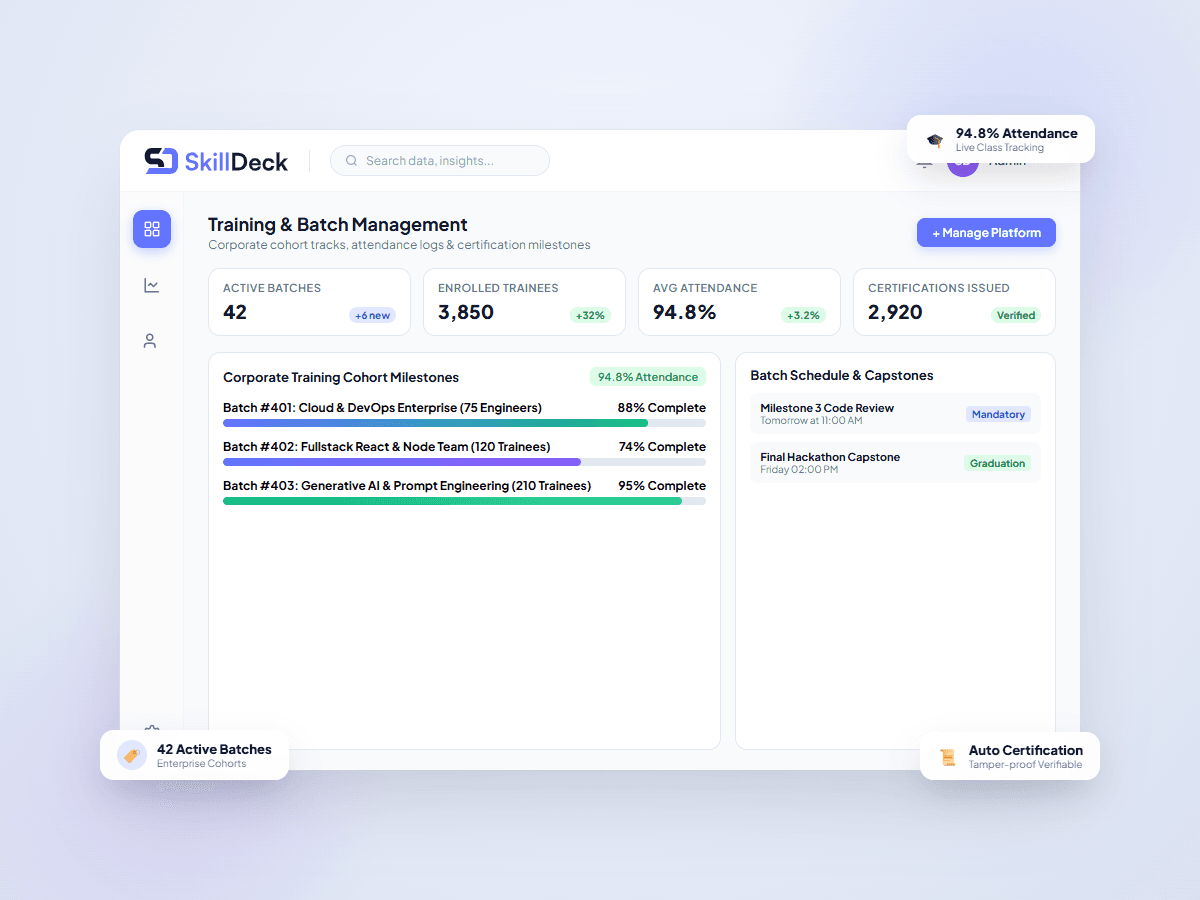
Skilldeck provides training businesses with a connected technology environment for managing their broader operations. Class management can become part of a larger workflow rather than remaining an isolated scheduling function. Training companies can connect class-related activities with areas such as: Course management Learner management Batch operations Instructor coordination Attendance CRM Lead management LMS Website and CMS Automation Reporting This connected approach can help training businesses reduce the technology burden created by managing multiple independent tools. For example, a prospective learner may first submit an enquiry, move through the admission process, enroll in a course, get assigned to a batch, attend scheduled classes, and continue learning through an LMS. When these stages are managed through connected systems, teams have a clearer understanding of the learner journey.
From Class Scheduling to Training Operations
Class management becomes more valuable when it supports the complete training operation. A well-organized process can look like: Enquiry → Enrollment → Course → Batch → Class Schedule → Instructor → Attendance → Learning Progress Each stage provides information that can support the next one. This reduces the need for staff to repeatedly collect and verify the same information. It also creates a foundation for training businesses that want to move from basic administrative management toward more connected digital operations.
Making Daily Training Delivery More Organized
The goal of class management software is not simply to replace a timetable or attendance sheet. Its real value comes from bringing the people, schedules, batches, and learner information involved in training delivery into one organized environment. For a growing training company, this can make everyday operations easier to coordinate. Administrators can spend less time searching for information, instructors can have clearer session responsibilities, and learners can receive more structured class information. As the number of courses and batches increases, this organization becomes increasingly important.
Final Thoughts
Class management software gives training companies a structured way to manage the daily activities behind successful training delivery. From scheduling sessions and organizing batches to assigning instructors, recording attendance, and maintaining learner information, a centralized platform can reduce operational complexity. The right system should support the way the training business actually works rather than forcing teams to maintain separate processes for every activity. With connected class, learner, course, attendance, CRM, and LMS capabilities, Skilldeck helps training businesses build a more organized digital environment for managing classes and scaling their operations.