Choosing a learning management system is an important decision for any organization that delivers training. An LMS becomes part of everyday operations, influencing how courses are created, how learners access training, how assessments are managed, and how administrators monitor progress.
Because of this, comparing feature lists alone may not be enough.
A free trial LMS gives organizations an opportunity to explore a learning platform in a practical environment before making a long-term decision. Instead of judging the system only through demonstrations or product descriptions, administrators can experience how courses, learners, training workflows, assessments, and reporting work together.
For training institutes, academies, corporate learning teams, and education businesses, an LMS trial can provide valuable insight into whether the platform is suitable for their actual learning requirements.
What Is a Free Trial LMS?
A free trial LMS is a learning management system that allows users to access and evaluate its capabilities for a limited period or under a defined trial arrangement without making a long-term commitment.
During the trial, organizations can explore different aspects of the platform, such as course creation, learner management, assessments, progress tracking, communication, reporting, and administrative workflows.
The purpose of an LMS free trial is not simply to see whether the interface looks easy to use. It is an opportunity to understand how the platform performs against the organization's actual learning processes.
A useful trial should therefore be approached as a practical evaluation rather than just a product tour.
Why Try an LMS Before Choosing One?
An LMS may appear suitable during a demonstration but feel very different when used for real training activities.
Administrators may discover that creating a course requires too many steps, learners may find navigation confusing, or reporting may not provide the information the organization needs.
A free trial helps identify these practical differences before the platform becomes part of the organization's long-term technology environment.
Test the Actual Workflow
Organizations can create a sample course, add learners, assign training, conduct assessments, and review progress. This provides a more realistic understanding of everyday LMS operations.
Evaluate User Experience
The platform needs to work for different users, including administrators, trainers, managers, and learners. A trial allows each group to experience the system from their own perspective.
Understand Available Features
A trial provides an opportunity to explore the functions that matter most to the organization rather than relying entirely on marketing descriptions.
Identify Operational Gaps
Testing the platform can reveal whether it supports the organization's existing training structure or whether important processes would require workarounds.
Make a More Confident Decision
The information gathered during a trial can help decision-makers compare platforms based on actual usage instead of assumptions.
What Can You Test During an LMS Free Trial?
The most valuable LMS trial is one that reflects your real training environment. Instead of testing every feature randomly, create a small sample learning program and follow it from setup to completion.
Course Creation and Organization
Start by creating one or more sample courses.
Check how easily you can add learning materials, organize lessons, structure modules, and make the content available to learners.
Pay attention to how many steps are required to perform common tasks. A platform that makes course administration straightforward can reduce the effort required when your learning library expands.
Learner Enrollment
Add a small group of test learners and explore the enrollment process.
Check whether learners can be organized into appropriate groups, courses, batches, or programs. If your organization has different types of learners, consider whether the platform can accommodate those structures.
Learning Content Delivery
Access the course as a learner and examine the learning experience.
Look at navigation, lesson organization, content accessibility, and the overall flow between different learning activities.
The administrator experience matters, but the learner experience is equally important because employees or students will interact with the LMS regularly.
Assessments and Quizzes
Create a sample assessment and test how learners interact with it.
Review available question formats, assessment workflows, result visibility, and completion handling. This can help determine whether the LMS supports the evaluation methods used by your organization.
Progress Monitoring
Complete some of the sample learning activities and then review the progress information available to administrators.
Check whether you can understand which learners have started training, who has completed it, and where learners may be falling behind.
Certificates
If your training programs issue certificates, use the trial to explore the certification workflow.
Check how completion information is connected with certification and how administrators can maintain records of completed learning.
Notifications and Reminders
Explore how learners are informed about their training activities.
Test available notifications, reminders, or automated communication options where applicable. This is particularly important when learners are expected to complete courses within defined timelines.
Reports and Analytics
Generate sample reports during the trial.
Consider whether the information is presented in a way that helps administrators understand learner participation, completion, assessment activity, and other relevant learning indicators.
Good reporting should support decisions rather than simply produce large amounts of data.
A Practical Way to Run Your LMS Trial
Rather than clicking through features without a specific objective, organizations can use a simple evaluation process.
Step 1: Define Your Learning Requirements
Before starting the trial, identify what you expect the LMS to accomplish.
Your requirements may include:
- Online course delivery
- Employee or student enrollment
- Assessments
- Certificates
- Learning paths
- Progress tracking
- Training reminders
- Reporting
- Instructor-led training
- Learner communication
This creates a checklist for evaluating the platform.
Step 2: Create a Sample Training Program
Use an actual or representative training program rather than generic sample data.
Add a few lessons, an assessment, and a completion requirement. This allows you to experience the complete learning workflow.
Step 3: Test Different User Roles
Experience the platform as an administrator and learner.
If possible, also evaluate it from the perspective of trainers or managers. Different users interact with an LMS differently, so one person's experience may not represent the entire organization.
Step 4: Measure Ease of Use
Notice how quickly users can complete common tasks.
Ask questions such as:
- How easy is it to create a course?
- How quickly can learners be enrolled?
- Is navigation clear?
- Can administrators find important information easily?
- Are reports understandable?
- Can routine tasks be managed without technical assistance?
Step 5: Review the Complete Learning Journey
Do not evaluate features individually.
Follow the learner journey from enrollment through course access, assessment, completion, and certification. This reveals whether the different parts of the LMS work together effectively.
Benefits of Using a Free LMS Trial
Lower-Risk Evaluation
A free trial gives organizations a way to explore an LMS before committing significant budget or operational resources.
Hands-On Product Experience
Instead of depending only on sales presentations, teams can interact directly with the platform and understand how it works.
Better Team Feedback
Administrators, trainers, and learners can provide feedback based on actual usage. This creates a more balanced evaluation.
Easier Feature Comparison
When multiple LMS platforms are being considered, trial experiences can help organizations compare usability, workflows, reporting, and learning capabilities more realistically.
Discover Hidden Requirements
Using a platform often reveals requirements that were not obvious during the initial evaluation. Teams may discover that they need specific reporting, learner grouping, automation, or integration capabilities.
Better Implementation Planning
A trial can also help identify the steps required for implementation, including course migration, learner setup, training, and workflow configuration.
Common Mistakes to Avoid During an LMS Trial
A trial can provide useful information, but only if it is evaluated properly.
Testing Only the Dashboard
A visually appealing dashboard does not necessarily indicate that the LMS will work well for daily operations. Test real workflows instead.
Focusing Only on Features
A platform may offer a large number of features that your organization never uses. Focus on the capabilities that directly support your learning model.
Ignoring the Learner Experience
Administrators are not the only people using an LMS. Test the platform from the learner's perspective as well.
Using Only Sample Data
Generic sample content may not reveal the challenges involved in managing your actual courses. Use representative training content wherever possible.
Skipping Reporting Tests
Reporting becomes increasingly important as learner numbers grow. Test the reports you expect to use regularly.
Not Testing Mobile Access
If learners are expected to access training from different devices, evaluate the learning experience across the devices relevant to your audience.
Making a Decision Too Quickly
The objective of a trial is to gather enough practical information to make an informed decision. Use the trial period to test important workflows rather than making a decision after the first few minutes.
Who Can Benefit From a Free Trial LMS?
Training Institutes
Training institutes can test course delivery, student enrollment, assessments, progress tracking, and certification workflows before selecting an LMS for regular operations.
Coaching and Education Businesses
Education businesses can evaluate how effectively the platform supports learner management and digital course delivery.
Corporate L&D Teams
Corporate learning teams can test employee onboarding, compliance programs, professional development, and internal training workflows.
Training Companies
Professional training providers can evaluate how the LMS supports multiple programs, learner groups, assessments, and completion management.
Academies and Skill Development Organizations
Academies can use an LMS trial to understand whether the platform can support structured learning programs and growing learner populations.
How to Choose an LMS After the Trial
Completing a free trial does not automatically mean the platform is the right choice. The next step is to evaluate what you learned.
Consider the following areas.
Learning Requirements
Does the LMS support the type of courses and programs your organization delivers?
Usability
Can administrators and learners complete everyday tasks without unnecessary complexity?
Scalability
Will the platform continue to support your organization as courses, learners, trainers, and programs increase?
Automation
Can repetitive activities such as learner notifications, assignments, reminders, or completion workflows be simplified?
Reporting
Does the platform provide the information required by administrators, trainers, and decision-makers?
Integration
Can the LMS work with the other systems your organization already depends on?
Support and Implementation
Consider how easily your team can get help during setup, migration, configuration, and ongoing use.
Overall Technology Fit
Most importantly, determine whether the LMS fits into the broader way your organization operates rather than evaluating it as an isolated course-delivery tool.
Why Skilldeck for LMS Management?
For training organizations, an LMS is often only one part of a larger digital operation. Managing courses and learners may also involve websites, enquiries, CRM activities, admissions, communication, and automation.
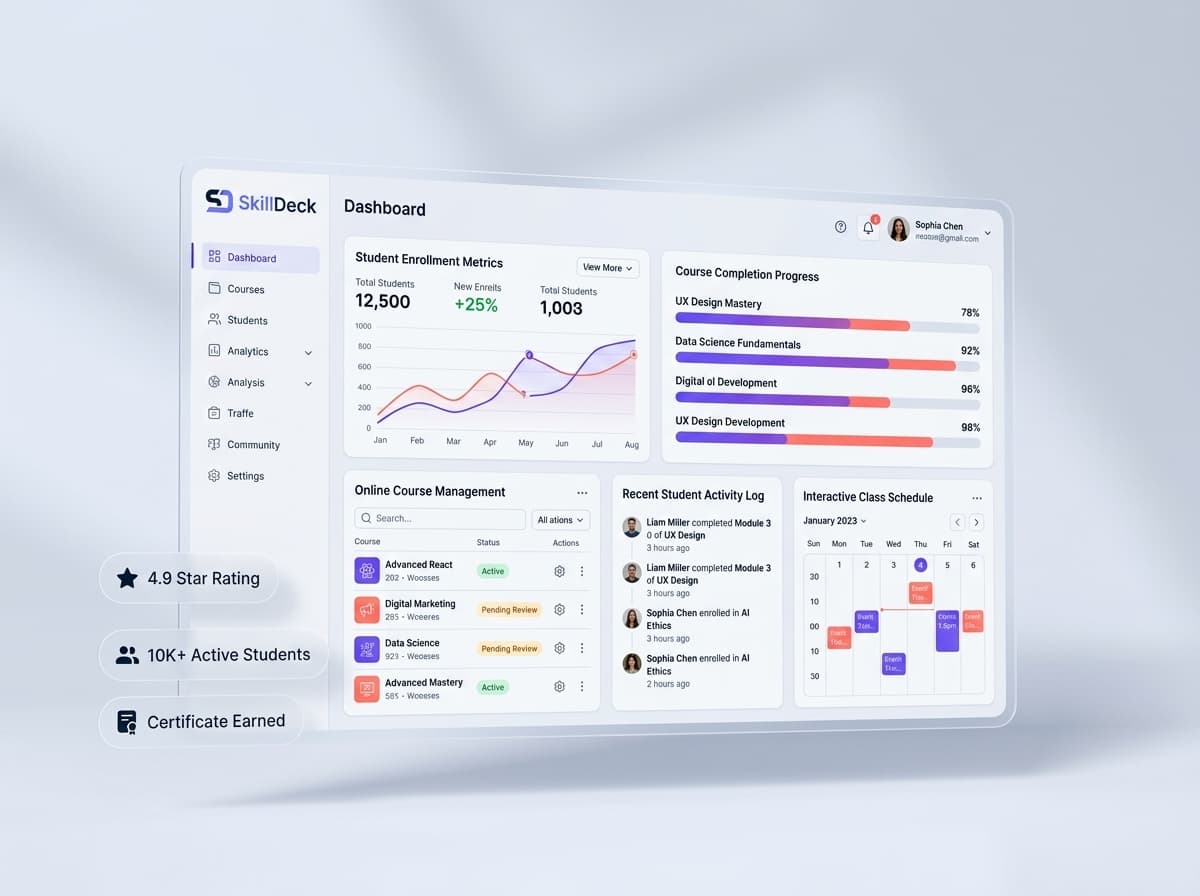
Skilldeck provides a connected environment for training and learning businesses, bringing website management, CRM, LMS, and automation capabilities into a broader platform.
This can help organizations evaluate and manage learning operations without building a technology stack around multiple disconnected systems.
With Skilldeck, training businesses can organize their learning environment while keeping related business activities connected. Learner acquisition can connect with enrollment, while learning operations can work alongside other workflows used by the organization.
This approach can be particularly useful for growing training businesses that want to reduce the complexity of managing separate platforms for different operational requirements.
A free LMS trial can therefore be more than an opportunity to explore course delivery. It can be a practical way to understand whether a connected learning environment fits the way your organization manages learners and training operations.
Free LMS Trial vs Immediate LMS Purchase
Evaluation Area | Choosing Without a Trial | Using a Free LMS Trial |
|---|---|---|
Product Experience | Based mainly on demonstrations | Based on hands-on usage |
Workflow Testing | Limited before purchase | Can test actual processes |
Learner Experience | May be difficult to assess | Can be tested directly |
Team Feedback | Often collected from demonstrations | Based on practical experience |
Feature Understanding | Based on descriptions | Based on actual usage |
Reporting Evaluation | May be discussed but not tested | Can be tested with sample data |
Implementation Insight | Estimated before adoption | Potential issues can be identified earlier |
Decision Confidence | Based on limited experience | Supported by practical evaluation |
Final Thoughts
Choosing an LMS is not simply about finding a platform with the longest feature list. The right system should fit the way your organization creates training, manages learners, delivers learning, evaluates progress, and measures results.
A free LMS trial provides an opportunity to experience those workflows before making a long-term decision. By creating sample courses, testing learner enrollment, exploring assessments, reviewing reports, and gathering feedback from different users, organizations can gain a much clearer understanding of platform suitability.
For training institutes, academies, corporate learning teams, and education businesses, a hands-on trial can reduce uncertainty and help identify the LMS that best matches their operational requirements.
With Skilldeck, organizations can explore a broader learning environment where LMS capabilities can work alongside CRM, website management, and automation, creating a more connected foundation for growing training operations.