Choosing an LMS is an important decision for any company investing in structured learning and development. A platform may look impressive on a feature page, but the real question is whether it can support the way your organization actually manages training. A live LMS demo gives companies an opportunity to see the platform in action rather than evaluating it only through screenshots, feature lists, or product descriptions. During a demonstration, training teams can understand how courses are created, how learners are managed, how instructors interact with the system, how assessments are handled, and how administrators monitor training performance. For companies considering a new learning management system, requesting a demo can also help identify whether the platform fits their current requirements and future learning plans.
Why Request an LMS Demo?
Every organization has different training requirements. A corporate organization may need employee onboarding, compliance training, professional development, assessments, and certification tracking. A professional training company may need course management, batches, instructors, learner enrollment, payments, and training reports. Because of these differences, a platform that works well for one organization may not necessarily be the right choice for another. An LMS demo allows decision-makers to evaluate the platform based on their own workflows. Instead of asking whether an LMS has a particular feature, companies can explore how that feature works and whether it is practical for their teams. A live demonstration can help answer questions such as: How easily can administrators create courses? How are learners enrolled? Can different teams or departments be managed? How are instructors assigned? Can training programs be delivered online or through blended learning? How are assessments and certificates handled? What reports are available? Which tasks can be automated? How does the LMS support growing learner volumes? Can the platform fit existing business processes?
What Can Companies Explore During an LMS Demo?
A useful demo should provide more than a quick tour of the dashboard. It should show how the LMS works across the training lifecycle.
Course Creation and Organization
Companies can explore how courses are created and structured within the platform. A demonstration can show how administrators organize modules, lessons, learning resources, assessments, and completion requirements. This is especially useful for organizations with large course libraries because the way content is structured can directly affect the learner experience.
Learner Management
The learner management workflow is another important area to review during an LMS demo. Companies can see how learners are added, organized, enrolled in programs, and monitored throughout their learning journey. Organizations with different employee groups, departments, locations, or learner categories can also evaluate whether the platform provides sufficient structure for managing these groups.
Training Program Assignment
Not every employee or learner needs access to every course. During an LMS demonstration, companies can explore how training programs are assigned according to roles, departments, teams, job responsibilities, or other organizational requirements. This can help organizations understand whether the LMS can support structured learning plans rather than simply functioning as a content library.
Instructor and Trainer Workflows
Instructor involvement varies depending on the training model. Companies can use the demo to understand how trainers interact with learners, courses, assessments, assignments, and progress information. For organizations running instructor-led or blended programs, this part of the demonstration can be particularly valuable.
Assessments and Knowledge Checks
An LMS should support more than content delivery when training requires measurable outcomes. A demo can show how quizzes, tests, assignments, or other evaluation activities are incorporated into learning programs. Training teams can also evaluate how assessment results are recorded and how administrators can use them to understand learner performance.
Progress and Completion Tracking
One of the key reasons organizations adopt an LMS is to gain visibility into learning activity. During a demo, companies can explore how the system tracks course progress, completion status, assessments, and other learning activities. This helps decision-makers understand whether the platform can provide the visibility required by HR, L&D teams, managers, and administrators.
Certificates and Certification Workflows
For organizations that provide completion certificates or professional certifications, certificate management can be an important part of the LMS. A live demonstration can show how certificates are generated, associated with course completion, and maintained as part of learner records.
See How Training Automation Works
Manual training administration can involve repetitive tasks such as sending reminders, assigning courses, following up on incomplete learning, and updating records. An LMS demo gives companies an opportunity to understand how automation can reduce this workload. Depending on the platform's capabilities, training teams may be able to automate activities related to: Course assignments Learner notifications Training reminders Assessment activities Completion updates Certification workflows Follow-up communication Recurring training The objective is not to automate every activity. Instead, automation should reduce repetitive administration while allowing training teams to focus on improving learning outcomes.
Explore Reporting and Analytics
Training decisions are difficult to make when learning data is scattered across spreadsheets and disconnected systems. A demo can help companies understand how an LMS converts learning activity into usable information. Organizations can explore reports related to areas such as: Learner progress Course completion Assessment performance Training participation Certification status Department-level activity Instructor activity Pending learning Training program performance The right reporting capabilities can help L&D teams move from simply delivering courses to evaluating how their learning programs are performing.
Evaluate the LMS From an Administrator's Perspective
An LMS may be used by learners every day, but administrators often determine whether the platform is practical to operate. During the demo, administrators should pay attention to how easily they can perform common tasks. For example: Creating a course Adding learning content Enrolling learners Assigning training Managing instructors Creating assessments Checking completion Generating reports Managing certificates Updating training programs A platform with a clear administrative workflow can reduce the learning curve for the teams responsible for managing the system.
Evaluate the Learner Experience
The learner experience should be part of every LMS evaluation. A system may provide extensive administrative capabilities but still create unnecessary friction for learners if navigation is complicated. During the demo, companies can review how learners: Access assigned courses Navigate learning modules Watch or consume training content Complete assessments Submit assignments Review progress Receive notifications Access certificates The experience should be straightforward enough that employees or learners can focus on learning instead of figuring out how to use the platform.
LMS Demo for Corporate Training
Corporate training environments often involve multiple departments, roles, locations, and learning requirements. A company may need different training programs for new employees, managers, technical teams, sales teams, and other groups. During a corporate LMS demo, organizations can explore how the platform handles these different learning requirements within one environment. Potential use cases include: Employee onboarding Compliance training Product training Technical upskilling Leadership development Professional development Internal certifications Recurring employee training The demo can help L&D and HR teams understand whether the platform can support both mandatory and developmental learning programs.
LMS Demo for Professional Training Companies
Professional training companies have a different operational model from internal corporate L&D teams. They may need to manage multiple courses, batches, instructors, learners, schedules, assessments, certificates, and commercial training programs. A demonstration can help training providers understand how an LMS can support their complete learning operation. They can explore: Course catalogs Batch-based training Instructor allocation Learner enrollment Online courses Live training Assessments Certificates Learner progress Course monetization Training reports This makes the demo useful not only for evaluating learning functionality but also for understanding how the platform can support a training business.
Questions to Ask During an LMS Demo
Companies should use the demo as an evaluation session rather than simply watching a product presentation. Some useful questions include:
Can the LMS Support Our Training Model?
Explain whether your organization uses self-paced, instructor-led, blended, cohort-based, or corporate training and ask how the platform accommodates it.
How Easy Is It to Manage Learners?
Ask how learners are added, grouped, assigned training, and monitored.
How Flexible Are Training Programs?
Find out whether administrators can modify courses, learning paths, assessments, and completion requirements without unnecessary technical work.
What Can Be Automated?
Ask which administrative workflows can be automated and what level of control administrators have over those workflows.
What Reporting Is Available?
Ask to see the reports your organization would actually use rather than accepting a general statement that analytics are available.
How Does the Platform Scale?
If your organization expects more learners, courses, instructors, or departments in the future, discuss how the LMS supports that growth.
What to Prepare Before Requesting an LMS Demo
Companies can get more value from a demo by identifying their priorities in advance. Before the demonstration, it can help to prepare information about: Current number of learners Number of courses Training delivery methods Number of instructors Department structure Existing learning tools Assessment requirements Certification requirements Reporting needs Automation requirements Future training plans This allows the demonstration to focus on actual business requirements rather than a generic product tour.
How to Evaluate an LMS After the Demo
The end of the demonstration should not be the end of the evaluation. Companies should consider how well the platform performed against their most important requirements. Evaluate the LMS across several areas:
Functional Fit
Does the platform support the training activities your organization needs today?
Ease of Use
Can administrators, instructors, and learners use the system without unnecessary complexity?
Operational Fit
Does the LMS fit your existing training processes, or would your teams need to significantly change how they work?
Scalability
Can the platform accommodate additional learners, courses, departments, and training programs as your organization grows?
Automation Potential
Can repetitive administrative activities be streamlined?
Reporting Value
Does the available data help your teams make meaningful training decisions?
Total Technology Requirement
Consider whether the LMS can reduce dependence on multiple disconnected tools or whether additional systems will still be required for important parts of the learning operation.
Common Mistakes Companies Make During LMS Demos
A product demonstration can become less useful when companies focus only on the visual appearance of the platform. One common mistake is evaluating an LMS based on the number of features rather than how those features work together. Another is allowing only one stakeholder to attend the demo. LMS decisions can affect HR, L&D, administrators, instructors, managers, IT teams, and learners. It is also important not to ignore everyday workflows. A platform may have advanced functionality, but if basic tasks are difficult to perform, adoption can become a challenge. Companies should therefore evaluate the platform from multiple perspectives and focus on practical scenarios.
Why Request a Skilldeck LMS Demo?
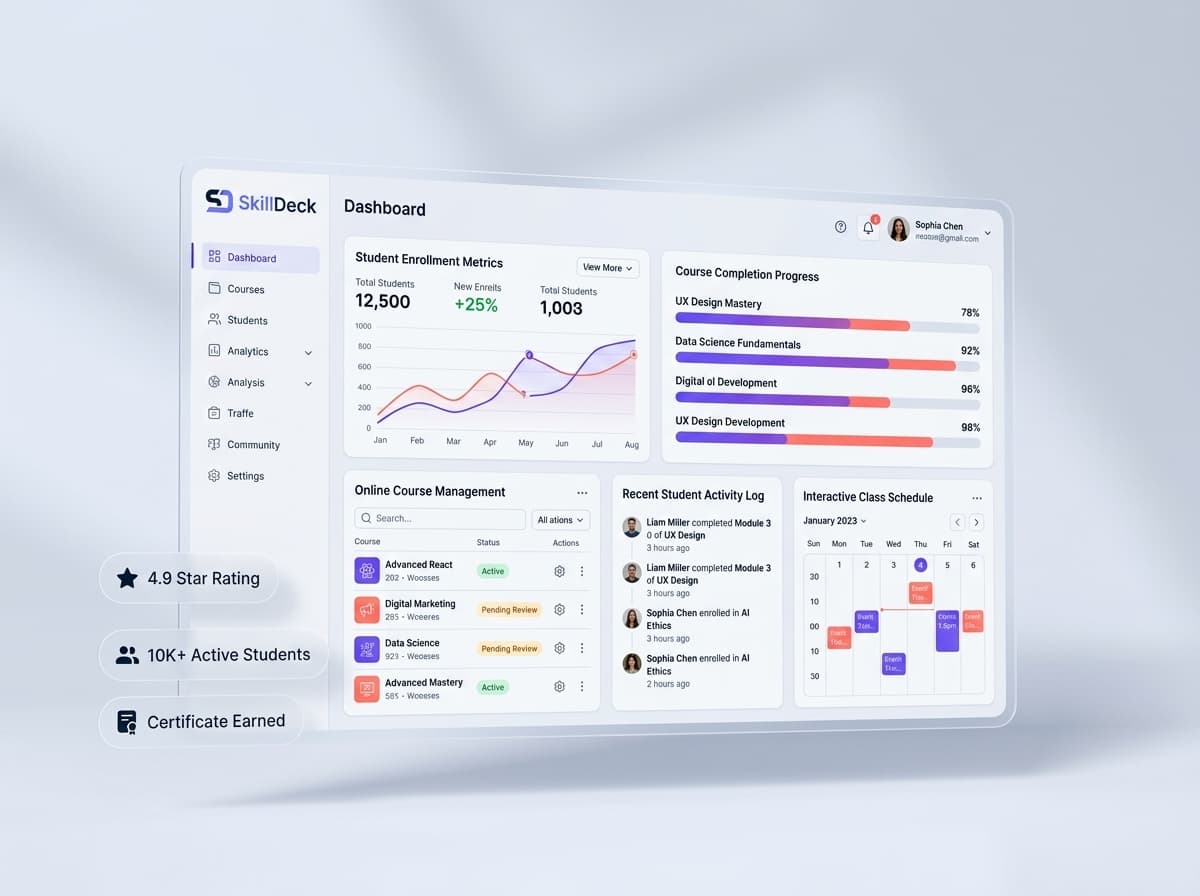
Skilldeck provides companies with an opportunity to explore how a connected learning platform can support their training requirements. Instead of evaluating an LMS only through a list of features, a live demonstration can help organizations understand how different parts of their training operation work within the platform. Companies can explore course management, learner administration, training workflows, assessments, progress tracking, reporting, automation, and other learning operations. For training businesses, the evaluation can also extend into areas such as batches, instructors, learner enrollment, course delivery, and monetization. For corporate and professional training teams, seeing these workflows in context can make it easier to determine whether the platform fits their current processes and future plans. A demo can also help organizations identify which workflows could be consolidated and where automation could reduce administrative effort.
What Happens After an LMS Demo?
Once the demonstration is complete, companies can compare the platform against their requirements and identify any remaining questions. The next step may involve discussing implementation, user volumes, configuration requirements, integrations, support, pricing, or other business considerations. A good LMS evaluation should ultimately answer one question: Can this platform make our training operation easier to manage while providing a better learning experience for our users? If the answer is supported by the actual workflows demonstrated, the company can move forward with greater confidence.
Final Thoughts
Requesting an LMS demo for companies is one of the most practical ways to evaluate a learning management platform before adopting it. A demo allows organizations to move beyond feature lists and see how the system handles real training activities—from course creation and learner enrollment to assessments, progress tracking, reporting, automation, and certification. For corporate organizations, the demonstration can help evaluate employee learning, onboarding, compliance, and professional development requirements. For professional training companies, it can provide a closer look at courses, batches, instructors, learners, and monetized training programs. The most useful LMS demo is one that is connected to the organization's actual requirements. By preparing specific questions, involving the right stakeholders, and evaluating practical workflows, companies can make a more informed decision and choose an LMS that supports both current training needs and long-term growth.